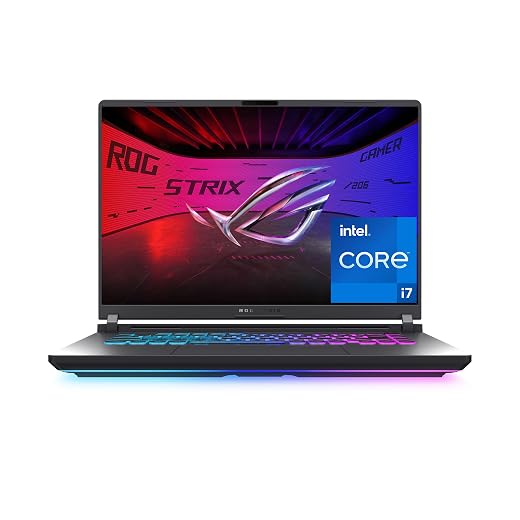
Acer Predator Helios Neo 18 Hardware Breakdown: Cooling, Build, and Longevity
The Acer Predator Helios Neo 18 is an unapologetically massive desktop-replacement machine built around high-wattage computing silicon, featuring an Intel Core Ultra 9 275HX processor and an NVIDIA GeForce RTX 5070 Ti graphics card. Designed to bridge the divide between transportable clamshells and full-sized gaming towers, it delivers immense computational throughput paired with an expansive…

As Amazon Associates, we earn from qualifying purchases. This means we may receive a small commission at no extra cost to you if you click through and make a purchase.
The Acer Predator Helios Neo 18 is an unapologetically massive desktop-replacement machine built around high-wattage computing silicon, featuring an Intel Core Ultra 9 275HX processor and an NVIDIA GeForce RTX 5070 Ti graphics card. Designed to bridge the divide between transportable clamshells and full-sized gaming towers, it delivers immense computational throughput paired with an expansive 18-inch 240Hz display. However, our reliability assessment reveals that long-term user satisfaction depends heavily on thermal containment, factory liquid metal barrier stability, and how well the physical chassis withstands mechanical stress over years of intense operation.
This oversized laptop suits dedicated gamers, workstation creators, and technical users who maintain a permanent desk station and demand top-tier processing headroom without assembling a desktop tower. Conversely, mobile professionals, frequent commuters, and buyers seeking simple, low-maintenance hardware should bypass this heavyweight machine and consider more portable options like the acer predator helios neo 16 ai gaming laptop instead.
Acer Predator Helios Neo 18 spec sheet
| Processor | Intel Core Ultra 9 275HX (Up to 13 NPU TOPS) |
|---|---|
| Graphics Processing Unit | NVIDIA GeForce RTX 5070 Ti (12GB GDDR7, 992 AI TOPS) |
| Display Panel | 18-inch WQXGA (16:10), 240Hz, 3ms Overdrive, 100% DCI-P3, G-SYNC |
| System Memory | 32GB DDR5 6400MHz CSO DIMM (Dual-channel, 2 slots total, 64GB max) |
| Storage Configuration | 2TB PCIe Gen 4 SSD (2 M.2 slots total, 0 slots available) |
| Thermal Subsystem | Dual fans, 5th Gen AeroBlade 3D Metal Fan, liquid metal compound |
| Networking Interfaces | Intel Killer Wi-Fi 6E AX1675, Killer E3100G 2.5 Gbps Ethernet |
| Chassis Dimensions | 15.79" L x 12.12" Th x 1.1" W (Black clamshell form factor) |
| Operating System | Windows 11 Home |
Every field from the listing (40)
| 0 | Color, Black |
|---|---|
| 1 | Hard-Drive Size, 2 TB |
| 2 | Operating System, Windows 11 Home |
| 3 | Other Special Features of the Product, Backlit Keyboard |
| 4 | Graphics Description, Dedicated |
| 5 | Graphics Coprocessor, NVIDIA GeForce RTX 5070 Ti |
| 6 | Hard Disk Description, SSD |
| 7 | Video Processor, NVIDIA |
| 8 | Specific Uses For Product, Entertainment, Gaming, Student |
| 9 | Graphics Card Ram, 12 GB |
| 10 | Form Factor, Clamshell |
| 11 | Camera Description, Front |
| 12 | Graphics Ram Type, GDDR7 |
| 13 | Compatible Devices, External displays, mice, keyboards, storage devices, printers, and other accessories with USB, HDMI, Thunderbolt, Wi-Fi, or Bluetooth connectivity |
| 14 | Item Dimensions L x W x Thickness, 15.79"L x 1.1"W x 12.12"Th |
| 15 | Video Output, HDMI, DisplayPort |
| 16 | Operating System Family, Windows |
| 17 | Screen Size, 18 inches |
| 18 | Resolution, 2560 x 1600 |
| 19 | Native Resolution, 2560 x 1600 pixels |
| 20 | Display Type, LCD |
| 21 | Display Resolution Maximum, 2560×1600 |
| 22 | Display Technology, LCD |
| 23 | Display Refresh Rate in Hertz, 240 |
| 24 | Maximum Display Brightness, 500 nit |
| 25 | Screen Finish, Matte |
| 26 | Display Maximum Resolution, 2560 x 1600 |
| 27 | Connectivity Technology, Bluetooth, Ethernet, HDMI, USB, Wi-Fi |
| 28 | Wireless Technology, Bluetooth, Wi-Fi |
| 29 | Wireless Compability, 802.11ax, Bluetooth |
| 30 | Bluetooth Version, 5.4 |
| 31 | Wi-Fi Generation, Wi-Fi 6E |
| 32 | Total Usb Ports, 4 |
| 33 | Number of Ports, 9 |
| 34 | Number of Ethernet Ports, 1 |
| 35 | Total Thunderbolt Ports, 1 |
| 36 | Total Number of HDMI Ports, 1 |
| 37 | Processor Series, Intel Core Ultra 9 |
| 38 | Processor Speed, 2.1 GHz |
| 39 | Processor Count, 24 |
Quoted from the product listing. We did not measure these figures.
01Cooling Architecture and Liquid Metal Durability
Managing the intense thermal energy produced by modern high-wattage silicon is the central engineering challenge for any desktop replacement, and the Acer Predator Helios Neo 18 cooling system attempts to conquer this with an aggressive internal heat dissipation design. Acer utilizes a dual-fan exhaust configuration anchored by a custom-engineered 5th Generation AeroBlade 3D metal fan paired with precision-applied liquid metal thermal compound over the processor die. Liquid metal offers vastly superior thermal transfer conductivity compared to traditional silicone-based pastes, allowing the Intel Core Ultra 9 275HX to rapidly transfer heat away from the silicon during extreme computational spikes.
While the thermal dissipation metrics are impressive on day one, liquid metal introduces distinct long-term durability risks that buyers must recognize. Over months of repetitive heating and cooling cycles, liquid metal compound can experience pump-out or migration if the barrier containment seal degrades, resulting in dry spots and localized heat spikes across the processor die. Readers researching smaller chassis implementations like the acer predator helios neo 16 ai gaming laptop | intel core ultra 9 processor 275hx | nvidia geforce r know that maintaining even surface contact is essential for sustained clocks. In an 18-inch system, physical flexing during transport can exacerbate thermal compound shifting, making Acer Predator Helios Neo 18 liquid metal application integrity a focal point for multi-year reliability.
Acoustic performance and dust management also dictate how well this platform ages. The ultra-thin blades of the 5th Gen AeroBlade fan pull substantial air volumes through intake vents, which accelerates debris accumulation inside the radiator fins over time. Users must regularly monitor fan RPMs and thermal headroom via the PredatorSense control utility. If dust restriction throttles the airflow, the cooling assembly runs louder and hotter, eventually degrading sustained performance and placing continuous thermal stress on nearby surface-mounted motherboard capacitors.
02Processing Power and Graphics Reliability Under Sustained Loads
The foundational appeal of the machine lies in its raw computational hardware, reflected in the comprehensive Acer Predator Helios Neo 18 specs. Driving the experience is the Intel Core Ultra 9 275HX processor, featuring a dedicated neural processing unit delivering up to 13 NPU TOPS to offload background tasks, audio optimization, and framing adjustments via PurifiedView 2.0. On the graphical side, the system integrates the NVIDIA GeForce RTX 5070 Ti laptop GPU built on the Blackwell architecture, packing 12GB of dedicated GDDR7 memory and 992 AI TOPS of neural rendering horsepower. This combination delivers exceptional Acer Predator Helios Neo 18 gaming performance across demanding modern titles, leveraging DLSS 4 Multi Frame Generation, Super Resolution, and advanced ray reconstruction.
When assessing Acer Predator RTX 5070 Ti reliability, the operating environment within the clamshell is the primary variable. The 12GB of GDDR7 memory operates at high clock frequencies, generating substantial localized heat alongside the GPU core. In prolonged gaming sessions with full ray tracing enabled, the power delivery subsystem and voltage regulator modules work at peak capacity. If thermal dissipation is hindered, power throttling kicks in to prevent silicon damage, leading to sudden frame rate dips and fluctuating power states that frustrate competitive players.
The inclusion of NVIDIA Advanced Optimus and hardware G-SYNC ensures seamless switching between the integrated graphics and the discrete RTX 5070 Ti without requiring manual system reboots. This feature preserves battery health during light productivity, though users should understand that an 18-inch machine with these power profiles is fundamentally engineered to live on AC power. Sustained performance reliability requires clean power delivery through the primary charging connection, as running heavy 3D rendering workloads on alternative power states introduces aggressive clock downscaling.
03Chassis Rigidity, Display Quality, and Port Longevity
Physical construction is a critical factor for oversized machines, where structural flex can compromise delicate internal solder joints. Measuring 15.79 inches in length, 12.12 inches in thickness, and 1.1 inches in depth, the chassis demands substantial desk real estate. Long-time gaming enthusiasts will remember how the historic acer predator laptop 21 established the category of mammoth desktop replacements; while the Helios Neo 18 adopts a more conventional clamshell silhouette, it still carries significant physical mass. The expansive 18-inch display lid creates substantial leverage against the dual-hinge assembly every time it is opened, requiring users to lift from the center rather than the corners to prevent torque fatigue over time.
The integrated visual panel is among the strongest attributes of the machine, featuring a 16:10 WQXGA resolution, a blisteringly fast 240Hz refresh rate, a 3ms overdrive response time, and 100% DCI-P3 color gamut coverage. For users who also maintain dedicated desktop setups with external monitors like the acer predator x27u oled, the Neo 18 provides a comparably fluid and color-accurate visual experience right on the laptop deck. However, protecting an 18-inch panel requires caution, as any flex induced while transporting the machine in an undersized bag risks localized panel bruising or backlight bleeding along the bezel edges.
Port selection is exceptionally generous, offering a single Thunderbolt 4 port, a USB 3.2 Gen 2 Type-C port supporting 10 Gbps transfer speeds, DisplayPort output, and up to 90W USB charging, two USB 3.2 Gen 2 ports (one with power-off charging), one USB 3.2 Gen 1 port, an HDMI 2.1 port capable of 48 Gbps bandwidth up to 10K resolution, an Intel Killer E3100G 2.5 Gbps Ethernet port, and a microSD card reader. With so many high-bandwidth peripherals plugged in simultaneously, cable management becomes a durability consideration. Stiff HDMI 2.1 and Ethernet cables exert lateral torque on female chassis ports, making it imperative to route cables without sharp bends to avoid breaking internal motherboard solder traces.
04Upgradability and Common Hardware Issues
Future-proofing a desktop replacement involves examining its serviceability, and this platform presents both welcome expandability and distinct physical limitations. The memory architecture utilizes 32GB of DDR5 6400MHz Clocked Small Outline (CSO) DIMM dual-channel RAM across two total slots, supporting a maximum capacity of 64GB. While having socketed CSO DIMM modules is superior to soldered memory, buyers should note that both slots are occupied out of the box, meaning an upgrade to 64GB requires replacing the existing dual-channel kit rather than merely adding another module.
Storage tells a similar story of full initial saturation. The system ships with a 2TB PCIe Gen 4 SSD distributed across two PCIe M.2 slots, with zero slots left available for expansion. Users needing additional high-speed storage cannot simply insert a secondary drive down the road; they must clone their operating system and swap out an existing drive. Unlike modular gaming towers such as the predator orion 3000, where drive bays and expansion slots are readily accessible, servicing an 18-inch clamshell involves delicate bottom-panel removal with potential clip breakage.
When analyzing potential Acer Predator Helios Neo 18 hardware issues over an extended ownership period, mechanical and thermal stress points stand out. The high-speed 6400MHz memory modules generate noticeable heat within a tightly packed interior, and the proximity of the dual M.2 SSD drives to the primary cooling pipes can result in thermal throttling during sustained file transfers. Furthermore, because the CPU uses liquid metal, self-servicing the thermal compound is significantly riskier than on conventional laptops. Accidental spillage onto surrounding surface-mounted components during repasting can cause fatal electrical shorts.
05Warranty Realities and Long-Term Value
A critical consideration for buyers investing in high-end portable computing is manufacturer support and repair infrastructure. The standard Acer Predator Helios Neo 18 warranty provides baseline coverage against manufacturing defects, but navigating claims on a massive 18-inch machine presents logistical hurdles. Shipping a heavy, delicate chassis to an authorized depot exposes the display hinges and liquid metal barrier to transit shocks. Any sign of internal tampering, such as attempting to re-spread or replace the factory liquid metal compound, risks voiding repair coverage entirely.
Software support via Acer PredatorSense and system driver updates is essential for keeping the Intel Core Ultra 9 275HX and RTX 5070 Ti functioning smoothly. PredatorSense enables granular fan speed curves, dynamic power limit toggles, and lighting controls. However, software updates must maintain stability across Windows 11 Home to prevent background crashes, network driver conflicts with the Killer Wi-Fi 6E AX1675 module, or switching errors between integrated and discrete GPUs via Advanced Optimus.
Answering the fundamental question—is Acer Predator Helios Neo 18 worth it—requires balancing sheer computational performance against long-term operational maintenance. The machine provides stellar rendering speeds, advanced AI acceleration, and an outstanding display, but it demands careful handling, regular fan cleaning, and an acceptance of depot-level repair dependencies. For enthusiasts seeking desktop parity in a self-contained unit, the value proposition holds strong if they are prepared to manage its thermal and mechanical footprint.
The verdict
Acer Predator Helios Neo 18
9.2/10
Our score
Very positive
Scores are out of 10, based on listed specifications and buyer feedback.
The Acer Predator Helios Neo 18 is a powerhouse desktop replacement that successfully merges the raw computing strength of the Intel Core Ultra 9 275HX with the graphics capabilities of the NVIDIA GeForce RTX 5070 Ti. Its vibrant 18-inch 240Hz WQXGA panel, robust port array, and DLSS 4 neural rendering features make it an exhilarating gaming and content creation platform. For users who want maximum visual real estate and top-tier frame rates without setting up a traditional PC tower, this machine delivers immense operational throughput.
However, long-term ownership demands vigilance regarding cooling system health and chassis care. The high-performance dual-fan thermal assembly and precision liquid metal interface require consistent monitoring via PredatorSense to avoid thermal throttling, while the occupied M.2 slots complicate future storage upgrades. If you treat this 18-inch machine as a semi-permanent workstation and maintain its internal airways, it will serve as a remarkably capable computing anchor for years to come.
Pros
- Vibrant 18-inch 240Hz WQXGA 16:10 display
- Potent Intel Core Ultra 9 275HX processor
- NVIDIA RTX 5070 Ti with DLSS 4 support
- High-speed 32GB DDR5 6400MHz memory configuration
- Comprehensive connectivity including Thunderbolt 4 and Killer Ethernet
Cons
- Bulky 18-inch clamshell chassis limits everyday portability
- Zero available M.2 slots for secondary drive expansion
- Liquid metal interface requires careful long-term thermal monitoring
Buy it if
- You want desktop-grade computing power and an expansive 18-inch 240Hz WQXGA screen in a single, transportable system.
- You rely on intensive AI workflows and modern gaming features enabled by 992 AI TOPS and DLSS 4 neural rendering.
- You plan to use the laptop primarily in a dedicated stationary setup with high-bandwidth wired peripherals and Ethernet.
- You value comprehensive built-in connectivity, including Thunderbolt 4, HDMI 2.1, and an integrated microSD card reader.
Skip it if
- You need a lightweight, travel-friendly laptop for daily commuting, frequent air travel, or working from cafes.
- You prefer low-maintenance cooling systems without the long-term concerns associated with liquid metal compound migration.
- You want open, unpopulated M.2 storage slots for instant, tool-free hard drive expansion out of the box.
See it on AmazonAffiliate link. Price and stock change at Amazon, not here.
Questions buyers ask
What are the key Acer Predator Helios Neo 18 specs?
The system features an Intel Core Ultra 9 275HX processor, an NVIDIA GeForce RTX 5070 Ti laptop GPU with 12GB of GDDR7 memory, an 18-inch WQXGA 240Hz display, 32GB of DDR5 6400MHz memory, and a 2TB PCIe Gen 4 SSD.
How does the Acer Predator Helios Neo 18 cooling system handle heavy gaming?
The cooling solution uses dual exhaust fans, including a 5th Gen AeroBlade 3D metal fan, combined with liquid metal thermal compound over the processor. This setup efficiently transfers high thermal loads, though users should regularly clean dust from the vents to prevent sustained throttling.
Can you upgrade the storage and RAM in the Acer Predator Helios Neo 18?
The laptop supports up to 64GB of RAM across its two DDR5 slots, but both are occupied by the initial 32GB configuration. Similarly, the two PCIe Gen 4 M.2 slots are both utilized by the factory 2TB storage setup, meaning upgrades require replacing existing modules rather than adding new ones.
Is the Acer Predator Helios Neo 18 worth it for frequent travelers?
Due to its substantial dimensions of 15.79 by 12.12 inches and 1.1-inch thickness, this laptop is designed primarily as a desktop replacement. Frequent commuters may find the bulk, weight, and large power requirements cumbersome for portable daily use.
What warranty coverage does Acer provide for the Predator Helios Neo 18?
The listing does not specify extended protection terms beyond standard manufacturer warranty protocols covering defects in materials and hardware workmanship. Buyers should exercise caution when servicing the cooling assembly, as tampering with the liquid metal barrier can jeopardize warranty status.
How this review was put together
- Specs are quoted from the Amazon listing, not measured in a lab.
- The score is out of 10, based on listed specifications and buyer feedback.
- Prices were read from the listing when this page was last built and move without notice.
2,605 reviews · 1,445 rated products · 87 brands tracked
We earn a commission when you buy through our Amazon links. That never changes a score.