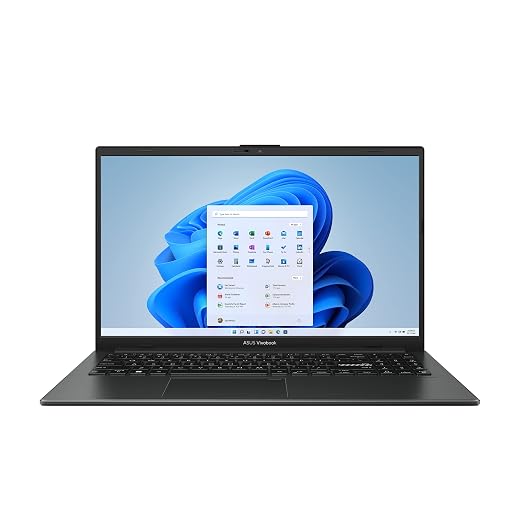
Alienware 16 Aurora Laptop: Long-Term Reliability, Thermals, and Support Analysis
The Alienware 16 Aurora introduces a substantial design evolution for Dell’s gaming lineup, eliminating the traditional extended rear exhaust protrusion to achieve a more balanced chassis footprint. Built with an Intel Core 7 240H Series 2 processor, an NVIDIA GeForce RTX 5060 laptop GPU powered by Blackwell architecture, and a 16-inch WQXGA anti-glare screen, this…

As Amazon Associates, we earn from qualifying purchases. This means we may receive a small commission at no extra cost to you if you click through and make a purchase.
The Alienware 16 Aurora introduces a substantial design evolution for Dell’s gaming lineup, eliminating the traditional extended rear exhaust protrusion to achieve a more balanced chassis footprint. Built with an Intel Core 7 240H Series 2 processor, an NVIDIA GeForce RTX 5060 laptop GPU powered by Blackwell architecture, and a 16-inch WQXGA anti-glare screen, this laptop targets users seeking modern processing capabilities alongside practical daily utility. Our verdict: it offers dependable mainstream rendering output and exceptional post-purchase security through bundled manufacturer field support, though chassis thermal concentration and a moderate 300-nit panel brightness require careful evaluation by discerning shoppers.
This portable workstation suits college students, home-based professionals, and esports players who value an integrated numeric keypad, robust aluminum lid construction, and the peace of mind that comes with in-home technician dispatch. Conversely, mobile workers who spend substantial hours computing in direct sunlight, road warriors prioritizing ultra-light chassis designs under four pounds, and enterprise users who insist on integrated fingerprint biometrics will be better served looking elsewhere.
Alienware 16 Aurora spec sheet
| Processor | Intel Core 7 240H (Series 2, 24 MB Cache) |
|---|---|
| Graphics Processor | NVIDIA GeForce RTX 5060 Laptop GPU (Blackwell Architecture) |
| System Memory | 16 GB DDR5 RAM |
| Storage Description | Solid State Drive (SSD, listing does not specify total capacity) |
| Display Specification | 16-inch WQXGA (16:10), 300 nits, Anti-Glare Coating |
| Thermal Engineering | Cryo-Chamber Structure (Streamlined, No Rear Thermal Shelf) |
| Chassis Dimensions | 10.45 x 14.05 x 0.89 inches |
| Product Weight | 5.5 pounds |
| Included Warranty | 1 Year Dell Onsite Service (Following Remote Diagnosis) |
| Biometric Hardware | No Fingerprint Reader |
Quoted from the product listing. We did not measure these figures.
01Thermal Architecture and Cooling Longevity
Evaluating the internal cooling setup is essential when investing in a performance notebook intended to last multiple years. The Alienware 16 Aurora introduces a newly designed Cryo-Chamber cooling structure created to direct focused airflow straight over core processing components. For several generations, gaming laptops depended on an extended rear thermal shelf behind the display hinge to house bulky heatsinks and exhaust fans. By eliminating this rear protrusion, the laptop achieves a sleeker profile that slides smoothly into standard backpack sleeves, but it also concentrates heat dissipation inside the primary chassis perimeter.
For shoppers monitoring potential alienware 16 aurora thermal issues, this consolidated footprint elevates the importance of continuous airflow management. Moving thermal exhaust away from an external rear protrusion means that internal copper heatsinks and miniaturized blowers must work efficiently to prevent heat soak during heavy rendering tasks. Operating this machine on soft surfaces such as blankets, rugs, or lap desks can choke the bottom intake vents, which causes internal temperatures to spike quickly, forcing the fans into maximum acoustic cycles and inducing thermal throttling on the processor.
Maintaining optimal alienware 16 laptop cooling over an extended lifecycle requires disciplined user habits. Gaming laptops naturally draw ambient dust into internal heat pipe assemblies over months of daily operation. To prevent thermal paste degradation and premature wear on the internal fan bearings, users should routinely elevate the rear feet of the laptop on hard surfaces and use compressed air to clear intake grilles every few months.
02Chassis Durability and Hardware Build Quality
Chassis rigidity directly dictates how well a gaming system withstands daily commuting, hinge cycles, and desk life. The Alienware 16 Aurora features an anodized aluminum lid finished in a subtle Blue hue, offering rigid torsional support that protects the screen from pressure damage inside loaded bags. While massive past flagships like the alienware area 51 laptop prioritized bulky desk-bound frames, this system manages a balanced 0.89-inch profile that delivers reasonable desktop stability without unnecessary bulk.
An examination of the overall alienware 16 laptop build quality highlights practical design decisions tailored for productivity. The laptop weighs 5.5 pounds and measures 10.45 by 14.05 inches, providing enough physical mass to stay planted firmly on a desk during fast-paced gaming. Dell also integrated a full numeric keypad alongside the backlit keyboard, a feature frequently omitted on modern 16-inch laptops. This addition provides practical value for students handling engineering coursework, accounting tasks, or complex software shortcuts.
However, cautious buyers should recognize the intentional trade-offs in this design. The listing confirms there is no fingerprint reader installed, meaning users cannot take advantage of biometric touch logins and must enter Windows 11 Home passwords manually. Additionally, while the metallic lid offers strong structural protection, the 5.5-pound weight means single-corner lifting creates noticeable chassis strain, so two-handed handling is strongly advised to maintain long-term hinge alignment.
03Hardware Specifications and Core Gaming Performance
The foundation of the alienware 16 laptop specs centers on capable processing silicon engineered to handle modern entertainment and workstation duties. Powering computational tasks is an Intel Core 7 240H processor from the Intel Core Series 2 line, backed by 24 megabytes of installed cache memory. Graphical tasks are handled by an NVIDIA GeForce RTX 5060 Laptop GPU powered by NVIDIA Blackwell architecture and dedicated AI features. This combination provides steady compute power for modern rendering, streaming pipelines, and high-framerate competitive gaming.
When analyzing long-term alienware 16 aurora rtx 5060 reliability, graphic stability depends heavily on consistent voltage delivery and memory performance. Backed by 16 GB of DDR5 system RAM, the system manages intensive game multitasking alongside communication apps smoothly. When comparing hardware iterations against related designs such as the alienware 16 aurora ac16250, this platform focuses squarely on mainstream reliability. Note that while the listing specifies solid state storage, the exact gigabyte capacity of the SSD is not detailed in the product listing data, so prospective buyers should verify local storage capacity upon setup.
The visual experience is anchored by a 16-inch WQXGA anti-glare display built with a 16:10 aspect ratio. The taller vertical aspect ratio provides clear productivity benefits by showing more code, text, and timeline data without constant scrolling. With a maximum rated brightness of 300 nits, the panel performs reliably across bedrooms, classrooms, and offices. However, 300 nits can appear washed out under direct outdoor sunlight or in brightly sunlit glass atriums, making this alienware 16 laptop for gaming best suited for indoor setups.
04Warranty Protection and Dell Onsite Service
A major differentiating factor for cautious buyers considering this machine is its included support package. Dell provides 1 Year Onsite Service as part of the purchase agreement. In the broader computing market, standard entry-level warranties force users to ship malfunctioning systems back to distant repair facilities, stranding owners without hardware for weeks. The dell onsite service alienware 16 coverage dispatches a certified technician directly to your residence, business, or chosen location if a hardware problem covered by the Limited Hardware Warranty cannot be resolved remotely.
This level of on-location support is uniquely valuable for complex mobile computers. Unlike modular desktop systems such as the alienware aurora r16 where users can easily swap an off-the-shelf power supply or expansion card, gaming laptops utilize tightly packed motherboards and integrated cooling channels. If a cooling fan or internal controller fails, having a technician perform the component swap at your home minimizes operational downtime significantly.
Understanding the alienware 16 laptop warranty requires noting the specific steps necessary to initiate field service. Onsite dispatch is not automatic; Dell technicians first conduct remote diagnostics via chat or phone to isolate whether the failure stems from operating system errors or physical component faults. Furthermore, standard hardware warranties do not cover accidental spills, cosmetic scratches, or drop damage unless extra coverage is purchased. Nevertheless, for remote workers and students with strict project timelines, this bundled onsite service provides substantial insurance against hardware failure.
The verdict
Alienware 16 Aurora
8.6/10
Buyer score
Mostly positive
Average star rating left by Amazon buyers, doubled to a 10-point scale. It is not a score we gave the product.
The Alienware 16 Aurora achieves a balanced compromise between everyday usability, gaming capabilities, and long-term hardware reliability. By uniting an Intel Core 7 240H processor with an NVIDIA GeForce RTX 5060 inside an updated chassis that removes the awkward rear thermal shelf, Dell offers a mature machine that looks appropriate in professional settings. The inclusion of an anodized aluminum lid, a full numeric keypad, and modern DDR5 RAM provides a dependable computing foundation, even if the 300-nit panel brightness and absence of a fingerprint reader represent distinct functional compromises.
When asking is alienware 16 laptop worth it, the answer leans positive for users who prioritize repair convenience and structural stability. The bundled 1 Year Onsite Service eliminates the risk of extended repair depot delays, providing prompt support if critical hardware components fail. As long as you maintain clear airflow around the Cryo-Chamber intake vents and use the system primarily in controlled indoor environments, this laptop represents a sensible, well-supported mobile gaming choice.
Pros
- Dedicated NVIDIA RTX 5060 graphics
- Included 1-year Dell onsite hardware service
- Rigid anodized aluminum lid construction
- 16-inch WQXGA anti-glare 16:10 display
- Integrated full numeric keypad
Cons
- No integrated biometric fingerprint reader
- Chassis weight reaches 5.5 pounds
- Display brightness limited to 300 nits
- Listing does not specify SSD capacity
Buy it if
- You want the security of Dell 1 Year Onsite Service to resolve hardware defects at your home instead of shipping the machine to a repair depot.
- You need a dedicated numeric keypad and backlit keyboard for academic spreadsheets, scientific computing, or macro inputs.
- You prefer a clean laptop silhouette featuring an anodized aluminum lid without a bulky rear thermal shelf sticking out.
- You play games and complete creative projects indoors where a 300-nit WQXGA 16:10 display provides balanced visual clarity.
Skip it if
- You demand instant biometric logins using an integrated fingerprint reader for corporate security standards.
- You frequently work outdoors or in brightly sunlit spaces where 300 nits of screen brightness is insufficient to combat glare.
- You need an ultra-lightweight travel laptop, as the 5.5-pound weight and 0.89-inch profile are built for desktop stability rather than mobile minimalism.
See it on AmazonAffiliate link. Price and stock change at Amazon, not here.
Questions buyers ask
Does the Alienware 16 Aurora feature a fingerprint reader for biometric security?
No, the listing confirms that this laptop has no fingerprint reader. Users must sign in to Windows 11 Home using standard alphanumeric passwords, local PIN codes, or alternative authentication methods supported by the operating system.
How does the Cryo-Chamber cooling system operate without a rear thermal shelf?
The Cryo-Chamber design redirects airflow directly across the core central processor and graphics hardware using streamlined internal ventilation channels. This allows the chassis to eliminate the protruding rear shelf found on older models while maintaining dedicated airflow across core components.
What does the Dell 1 Year Onsite Service include?
Dell’s 1 Year Onsite Service provides in-person technician dispatch to your home, office, or preferred location if a hardware problem covered by the Limited Hardware Warranty cannot be corrected via remote diagnostics. This avoids the requirement of mailing your laptop away to a service facility for basic repairs.
Is the 16-inch WQXGA screen sufficiently bright for outdoor use?
The 16-inch WQXGA screen offers 300 nits of brightness with an anti-glare coating. While this provides crisp image quality in indoor environments like offices, bedrooms, and lecture halls, it will struggle with visibility when used under direct sunlight or intense outdoor lighting.
What display connection options are supported by the Alienware 16 Aurora?
The laptop provides display connectivity through a dedicated HDMI port as well as a USB DisplayPort connection. This allows users to connect multi-monitor setups, gaming displays, or presentation projectors alongside its standard USB 3.2 Gen 1 and Gen 2 ports.
How this review was put together
- Specs are quoted from the Amazon listing, not measured in a lab.
- The score is the average star rating left by Amazon buyers, doubled to a 10-point scale.
- Prices were read from the listing when this page was last built and move without notice.
- Buyer quotes are reproduced word for word, with the name and date shown.
199 reviews · 1,445 rated products · 87 brands tracked
We earn a commission when you buy through our Amazon links. That never changes a score, because we do not set the scores.