ASUS ExpertBook Ultra: Durability, Warranty, and Real-World Reliability
The ASUS ExpertBook Ultra enters the commercial computing landscape as an aggressively lightweight enterprise notebook engineered to combine high computational density with extreme mobility. Powered by an Intel Core Ultra X7 358H processor and equipped with a 14-inch 3K OLED touch display, this machine aims to serve traveling professionals who demand workstation-adjacent productivity in a…

As Amazon Associates, we earn from qualifying purchases. This means we may receive a small commission at no extra cost to you if you click through and make a purchase.
The ASUS ExpertBook Ultra enters the commercial computing landscape as an aggressively lightweight enterprise notebook engineered to combine high computational density with extreme mobility. Powered by an Intel Core Ultra X7 358H processor and equipped with a 14-inch 3K OLED touch display, this machine aims to serve traveling professionals who demand workstation-adjacent productivity in a chassis weighing just 2.2 pounds. While the inclusion of Windows 11 Pro, an integrated Intel Arc B390 GPU, and an unusually robust domestic warranty package makes a compelling initial impression, corporate procurement teams must weigh these strengths against permanent architectural trade-offs such as soldered memory and thermal compromises inherent to ultra-thin chassis engineering.
This notebook suits corporate executives, traveling consultants, and technical field professionals who prioritize minimal travel weight, modern display precision, and immediate manufacturer-backed accidental damage protection over field upgradeability. Conversely, organizations seeking modular workstations that permit post-deployment internal expansion, long-term internal component servicing, or sustained heavy rendering without thermal throttling should bypass this platform in favor of thicker enterprise hardware.
ASUS ExpertBook Ultra spec sheet
| Processor | Intel Core Ultra X7 358H (16 Cores, 1.9 GHz base to 4.8 GHz boost, 18MB Smart Cache) |
|---|---|
| Graphics Processing | Intel Arc B390 (Integrated, Shared Memory Architecture) |
| System Memory | 32GB LPDDR5X (Soldered Onboard) |
| Internal Storage | 1TB PCIe 4.0 NVMe Solid State Drive |
| Display Panel | 14-inch 3K OLED (2880 x 1800), 120Hz Refresh, Touchscreen, 100% DCI-P3 |
| Chassis Dimensions & Weight | 12.24 inches L x 8.38 inches W x 0.65 inches H; 2.20 pounds (Jet Fog finish) |
| Port Selection | 2x Thunderbolt 4 (Power Delivery/Display), 2x USB 3.2 Gen 2 Type-A, HDMI 2.1, 3.5mm Audio |
| Wireless Connectivity | Wi-Fi 7 (802.11be Tri-band 2×2) and Bluetooth 6.0 |
| Battery Subsystem | 70 Watt-hour, 4-Cell Lithium-ion (2S2P configuration) |
| Warranty & Protection | 3-Year USA Warranty (1-Year Global) plus 1-Year USA Accidental Damage Protection |
Every field from the listing (40)
| 0 | Color, Jet Fog |
|---|---|
| 1 | Hard-Drive Size, 1 TB |
| 2 | Operating System, Windows 11 Pro |
| 3 | Other Special Features of the Product, Backlit Keyboard |
| 4 | Graphics Description, Integrated |
| 5 | Graphics Coprocessor, Intel Arc B390 |
| 6 | Hard Disk Description, SSD |
| 7 | Item Weight, 2.2 pounds |
| 8 | Video Processor, Intel |
| 9 | Specific Uses For Product, Business, Personal |
| 10 | Form Factor, Ultra-Portable |
| 11 | Hard Disk Interface, Solid State |
| 12 | Graphics Ram Type, Shared |
| 13 | Warranty Type, Limited |
| 14 | Item Dimensions L x W x Thickness, 12.24"L x 8.38"W x 0.65"Th |
| 15 | Video Output, HDMI 2.1, Thunderbolt 4 |
| 16 | Operating System Family, Windows |
| 17 | Screen Size, 14 inches |
| 18 | Resolution, 2880×1800 |
| 19 | Native Resolution, 2880 x 1800 pixels |
| 20 | Display Type, OLED |
| 21 | Display Resolution Maximum, 2880×1800 pixels |
| 22 | Display Technology, OLED |
| 23 | Display Refresh Rate in Hertz, 120 |
| 24 | Display Maximum Resolution, 2880 x 1800 |
| 25 | Connectivity Technology, Bluetooth, Wi-Fi, Thunderbolt, USB, HDMI |
| 26 | Wireless Compability, 802.11.be |
| 27 | Battery Cell Type, Lithium Ion |
| 28 | Lithium-Battery Energy Content, 70 watt-hours |
| 29 | Human-Interface Input, Touchscreen |
| 30 | Keyboard Description, Backlit Chiclet |
| 31 | Processor Series, Intel Core Ultra 7 |
| 32 | Processor Speed, 1.9 GHz |
| 33 | Processor Count, 16 |
| 34 | Processor Brand, Intel |
| 35 | CPU Model Number, Core Ultra X7 358H |
| 36 | CPU Model Speed Maximum, 4.8 GHz |
| 37 | Brand, EXCaliberPC |
| 38 | Model Name, ASUS ExpertBook Ultra |
| 39 | Model Year, 2026 |
Quoted from the product listing. We did not measure these figures.
01Chassis Durability and Ultraportable Build Quality
Achieving a total operational mass of only 2.2 pounds demands significant structural optimization, and the ExpertBook Ultra meets this objective through an ultra-dense, 0.65-inch thin profile finished in Jet Fog. In enterprise deployments, an ultraportable chassis faces relentless physical stresses including torsional flex during one-handed handling, lid deflection inside crowded commuter bags, and repeated port insertion strains. The dimensional footprint of 12.24 by 8.38 inches ensures exceptional travel ergonomics, fitting easily into compact business luggage and standard airline tray tables.
However, physics imposes strict boundaries on ultra-light computing. While the listing notes an ultra-portable business form factor, shaving chassis mass down toward two pounds inevitably reduces internal bracing volume compared to traditional, heavier enterprise laptops. IT managers managing fleet lifecycle deployments must inspect whether outer casework shows flex around the backlit chiclet keyboard deck under forceful typing. For buyers evaluating modern business designs, comparing this model against broader commercial alternatives like the ASUS ExpertBook P5 highlights how different chassis compositions balance rugged structural endurance against pure weight minimization.
Long-term physical integrity also relies on hinge retention and connector durability. With two Thunderbolt 4 ports, two USB 3.2 Gen 2 Type-A interfaces, and an HDMI 2.1 video output integrated into the frame, the perimeter of the chassis contains numerous structural cutouts. While providing broad native connectivity without dongles, these perimeter apertures represent potential stress points during accidental drops. Buyers operating in rugged or semi-industrial environments must treat the chassis with greater care than heavy magnesium or reinforced composite field notebooks.
02Hardware Performance and Thermal Management
Under the hood, the core asus expertbook ultra specs center on the Intel Core Ultra X7 358H, a hybrid processor packing 16 physical cores capable of reaching boost clocks up to 4.8 GHz alongside an 18MB Intel Smart Cache. This compute density handles demanding business multi-tasking, complex spreadsheet compilation, and data analysis effortlessly. Parallel graphical workloads fall to the integrated Intel Arc B390, which leverages shared LPDDR5X system memory to drive external enterprise monitors, execute visual presentations, and accelerate baseline graphical compute tasks without requiring an energy-hungry dedicated graphics chip.
Despite these capable components, asus expertbook ultra thermal issues remain an inherent consideration for prospective business users. Dissipating heat from a 16-core hybrid processor within a 0.65-inch enclosure requires high-rpm fan profiles and compact heat-pipe layouts. Under short burst tasks, the Core Ultra architecture ramps up smoothly to deliver immediate responsiveness. When subjected to continuous computational workloads like batch file encoding or continuous data crunching, internal thermal saturation will inevitably force clock speeds downward to protect internal silicon.
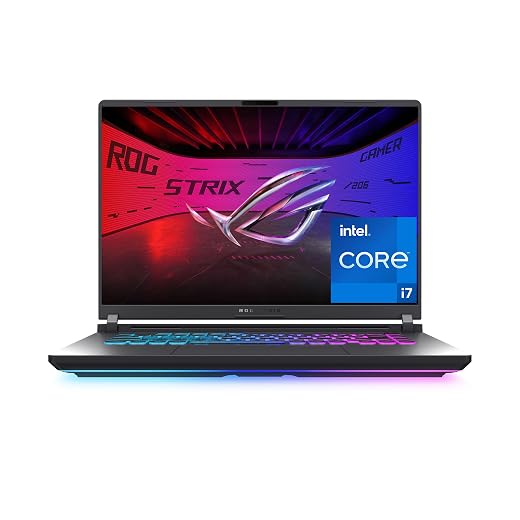
Enterprise users seeking sustained, unthrottled graphical compute should note that thin business platforms handle cooling fundamentally differently than high-power desktop replacements such as the ASUS ROG Strix G16 2025 5070Ti, which dedicate extensive internal volume strictly to vapor chambers and high-cfm exhaust channels. In this ultraportable form factor, internal fan noise may become clearly audible during heavy software loads, and surface temperatures on the underside of the Jet Fog casing will elevate, making prolonged lap use during intensive processing less comfortable.
03Display Quality, Power Consumption, and Panel Longevity
The visual centerpiece of this notebook is its 14-inch 3K OLED touch display, boasting a sharp 2880 by 1800 resolution, a responsive 120Hz refresh rate, and full 100% DCI-P3 color gamut coverage. For creative executives, marketing directors, and financial analysts, the visual clarity, deep black levels, and wide color reproduction provide unmatched presentation fidelity. The addition of touch capability allows intuitive document navigation and interactive boardroom demonstrations directly on the glass surface.
Nevertheless, deploying an asus expertbook ultra oled display in a commercial setting presents distinct long-term operational trade-offs. Organic light-emitting diode panels consume power dynamically based on picture content; rendering expansive white backgrounds typical of enterprise word processing, web browsing, and spreadsheet software demands significantly more current than displaying dark media. Consequently, managing realistic expectations around asus expertbook ultra battery life is essential. While the internal 70WHrs 4-cell lithium-ion battery provides substantial capacity for an ultraportable, driving 2880 by 1800 pixels at an active 120Hz refresh rate will accelerate battery depletion during standard high-brightness office tasks.
Enterprises interested in multi-screen workflows or advanced panel mechanics may compare these visual trade-offs to specialized dual-screen platforms like the ASUS ZenBook Duo OLED, which also leverage self-lit panel technology. Beyond immediate energy draw, corporate purchasers must consider long-term panel aging. Modern OLED panels feature software mitigation tools to cycle pixels, but static software interfaces left running for dozens of continuous hours across multiple years remain susceptible to permanent sub-pixel degradation. IT administrators should enforce standard display sleep timers across deployed fleets to preserve panel uniformity.
04Repairability, Soldered Architecture, and Custom Reseller Upgrades
From an internal maintenance perspective, asus expertbook ultra repairability presents strict boundaries that enterprise support technicians must evaluate before purchase. The system comes equipped with 32GB of LPDDR5X RAM, but this memory is soldered directly onboard. Because there are no SODIMM slots, the memory capacity configured on day one remains the maximum memory capacity for the operational life of the device. If a single memory module develops an uncorrectable hardware error post-warranty, the entire motherboard assembly must be replaced rather than simply swapping a failed memory stick.
Storage management offers slightly greater flexibility via a 1TB PCIe 4.0 NVMe SSD. However, buyers should pay close attention to the provenance and delivery state of this specific configuration. As documented by the supplier EXCaliberPC, this unit represents a specialized configuration where technicians open the factory packaging to hand-assemble, upgrade, and rigorously test components to match specified listing criteria. While this process guarantees that the customer receives a verified, fully updated 1TB drive and pristine software configuration out of the box, it also means the original manufacturer factory seal is broken prior to final delivery.
For organizations deploying the asus expertbook ultra b9406 family, internal hardware standardization is paramount. The presence of third-party assembly modifications requires procurement managers to verify how custom integration impacts company security compliance policies. The listing does not specify secondary drive slots, meaning internal capacity expansions require replacing the primary operating system drive entirely rather than simply mounting a secondary data drive. Fleet managers should establish automated cloud or networked backup policies to mitigate the risks associated with non-modular internal storage architecture.
05Enterprise Deployment and ASUS Warranty Coverage
Reliable after-sales service often dictates commercial purchasing decisions, and asus expertbook ultra warranty support provides a surprisingly extensive package for domestic operations. The laptop is backed by a 3-Year USA limited warranty alongside a 1-Year Global warranty provision. More importantly for accident-prone field teams, ASUS includes a 1-Year Accidental Damage Protection plan valid within the United States. This accidental coverage covers drops, liquid spills, and structural cracks that standard limited warranties exclude, substantially lowering unexpected repair overhead during the first operational year.
Corporate integration is further streamlined by Microsoft Windows 11 Pro, which provides enterprise-grade BitLocker drive encryption, Windows Information Protection, and effortless Active Directory or cloud domain enrollment. High-speed tri-band Wi-Fi 7 (802.11be) and Bluetooth 6.0 future-proof the machine for modern enterprise networking infrastructures, ensuring seamless wireless throughput in high-density corporate environments. The backlit chiclet keyboard and dual Thunderbolt 4 connectors ensure straightforward dock integration in modern hot-desking offices.
Despite these strong provisioning features, international road warriors must note the discrepancy in coverage geography: while domestic operations enjoy three years of support, global coverage drops to a single year, and the accidental damage protection is strictly restricted to the United States. When evaluating long-term asus expertbook ultra reliability across global business hubs, corporate fleet buyers must plan for regional support limitations should field equipment suffer a physical breakdown outside domestic borders.
The verdict
ASUS ExpertBook Ultra
8.0/10
Our score
Mostly positive
Scores are out of 10, based on listed specifications and buyer feedback.
The ASUS ExpertBook Ultra establishes a benchmark for executive-class portability by condensing a 16-core Intel Core Ultra X7 processor, 32GB of high-speed memory, and a brilliant 3K OLED touchscreen into a 2.2-pound chassis. Its port selection sets an example that competitors frequently ignore, providing dual Thunderbolt 4 ports alongside legacy Type-A and full-size HDMI connectivity. Backed by three years of domestic limited warranty support and first-year accidental damage coverage, it offers substantial operational security for corporate users on the move.
However, when asking is asus expertbook ultra worth it for your business fleet, the answer hinges entirely on upgrade philosophy and operational workload. The non-upgradeable onboard memory and thermal ceilings inherent to ultra-thin designs mean this notebook cannot serve as a heavy-duty workstation or an adaptable hardware asset for unpredictable future computing loads. If your organization prioritizes uncompromised travel mobility, vibrant display performance, and upfront warranty peace of mind, the ExpertBook Ultra stands as a premier commercial choice.
Pros
- Extremely lightweight chassis at 2.2 pounds
- Comprehensive three-year domestic warranty with accidental protection
- Vibrant 14-inch 3K 120Hz OLED touchscreen
- Advanced Wi-Fi 7 and Bluetooth 6.0 connectivity
- Generous port selection including Thunderbolt 4 and HDMI 2.1
Cons
- Soldered onboard RAM eliminates post-purchase memory upgrades
- Slim 0.65-inch chassis limits sustained thermal cooling capacity
- High-refresh OLED display draws significant operational battery power
Buy it if
- You need an ultra-light business laptop that delivers exceptional portability at just 2.2 pounds without sacrificing essential full-size ports like HDMI 2.1 and USB Type-A.
- Your computational workload benefits from a top-tier 14-inch 3K OLED touch display featuring a smooth 120Hz refresh rate and professional-grade color accuracy.
- You value peace of mind against workplace mishaps through the included 1-Year Accidental Damage Protection and a robust 3-Year domestic warranty.
- Your daily office productivity demands modern wireless standards including Wi-Fi 7 and Bluetooth 6.0 paired with Windows 11 Pro management tools.
Skip it if
- Your enterprise IT policy mandates fully modular, user-upgradeable memory slots rather than non-expandable soldered onboard RAM.
- Your routine operations require sustained, heavy computational rendering that overwhelms compact 0.65-inch ultraportable thermal cooling systems.
- You operate primarily outside the United States and require multi-year international accidental damage coverage for your mobile workforce.
See it on AmazonAffiliate link. Price and stock change at Amazon, not here.
Questions buyers ask
Does the ASUS ExpertBook Ultra support memory upgrades after purchase?
No. The 32GB LPDDR5X RAM is soldered directly onto the motherboard. Because there are no physical memory expansion slots inside the chassis, the factory memory cannot be expanded or altered at a later date.
What does the included warranty package cover?
The hardware includes a 3-Year limited warranty for operations within the United States and a 1-Year Global warranty. Additionally, ASUS provides 1-Year of Accidental Damage Protection valid solely within the United States to protect against accidental spills, drops, and electrical surges.
How does the EXCaliberPC configuration process affect the hardware?
EXCaliberPC provides custom configurations where qualified technicians open the original packaging to assemble, verify, and test components such as the solid-state drive to ensure they match the listed specifications prior to dispatch.
Is the OLED touch display prone to higher battery consumption?
Yes. High-resolution OLED displays require more energy when rendering bright, white backgrounds common in office applications. Although the 70WHrs battery provides substantial capacity, running the panel at 120Hz with high brightness will deplete battery reserves faster than a standard low-power LCD screen.
What external monitor connectivity does the ExpertBook Ultra provide?
The system features a dedicated HDMI 2.1 video port along with two Thunderbolt 4 ports that support DisplayPort output over Type-C, allowing users to connect multiple high-resolution external monitors without requiring proprietary dock adapters.
How this review was put together
- Specs are quoted from the Amazon listing, not measured in a lab.
- The score is out of 10, based on listed specifications and buyer feedback.
- Prices were read from the listing when this page was last built and move without notice.
2,605 reviews · 1,445 rated products · 87 brands tracked
We earn a commission when you buy through our Amazon links. That never changes a score.