ASUS ROG Swift PG34WCDN Review: Burn-In Risks and Long-Term Value
The ASUS ROG Swift PG34WCDN represents a major generational shift in curved ultrawide displays, pairing a 34-inch QD-OLED panel with an esports-grade 360Hz refresh rate and an instantaneous 0.03ms response time. Featuring a 3440×1440 WQHD resolution, full-bandwidth DisplayPort 2.1 UHBR20 connectivity, and an updated RGB stripe subpixel structure, this monitor is engineered to deliver blistering…

As Amazon Associates, we earn from qualifying purchases. This means we may receive a small commission at no extra cost to you if you click through and make a purchase.
The ASUS ROG Swift PG34WCDN represents a major generational shift in curved ultrawide displays, pairing a 34-inch QD-OLED panel with an esports-grade 360Hz refresh rate and an instantaneous 0.03ms response time. Featuring a 3440×1440 WQHD resolution, full-bandwidth DisplayPort 2.1 UHBR20 connectivity, and an updated RGB stripe subpixel structure, this monitor is engineered to deliver blistering motion clarity alongside accurate desktop text rendering. It stands as an uncompromising, high-performance display for competitive players and content creators who demand fluid motion without the visual compromises seen in earlier OLED generations.
This premium ultrawide display suits competitive gamers, flight sim enthusiasts, and video editors equipped with high-end modern GPUs who prioritize deep contrast, wide color gamuts, and tear-free responsiveness. However, shoppers who primarily execute static spreadsheet tasks throughout the workday, operate in brightly sunlit rooms, or prefer flat 16:9 displays should look elsewhere.
ASUS ROG Swift PG34WCDN spec sheet
| Screen Size and Curvature | 34 inches, 1800R curve |
|---|---|
| Panel Type and Subpixel Structure | QD-OLED with RGB Stripe Pixel Technology |
| Resolution and Aspect Ratio | 3440 x 1440 pixels, 21:9 ultrawide |
| Refresh Rate and Response Time | 360Hz, 0.03ms gray-to-gray (GTG) |
| Screen Finish and Hardness | Matte finish with BlackShield Film Protection |
| Brightness and Contrast Ratio | 500 cd/m², 1,500,000:1 contrast ratio |
| Color Accuracy and HDR | VESA DisplayHDR 500 True Black, 99% DCI-P3, Delta E<2 |
| Connectivity Ports | DisplayPort 2.1 UHBR20 (80Gbps), HDMI 2.1, USB-C (90W PD) |
| Dimensions and Weight | 32.0 x 10.9 x 22.2 inches, 18.3 lbs |
| Power Consumption | 85 watts |
Every field from the listing (40)
| 0 | Aspect Ratio, 21:9 |
|---|---|
| 1 | Screen Finish, Matte |
| 2 | Contrast Ratio, 1500000:1 |
| 3 | Refresh Rate, 360 hertz |
| 4 | Display Type, QD-OLED |
| 5 | Display Technology, OLED |
| 6 | Viewing Angle, 178 degrees |
| 7 | Brightness, 500 candela_per_square_meter |
| 8 | Pixel Pitch, 0.18 |
| 9 | Color Gamut, 135 |
| 11 | Screen Size, 34 inches |
| 12 | Item Dimensions D x W x H, 10.9"D x 32"W x 22.2"H |
| 13 | Item Weight, 18.3 pounds |
| 14 | Resolution, QHD Wide 1440p |
| 15 | Display Resolution Maximum, 3440 x 1440 pixels |
| 16 | Native Resolution, 3440×1440 |
| 17 | Power Consumption, 85 watts |
| 18 | Voltage, 240 volts |
| 19 | Connectivity Technology, DisplayPort cable, HDMI (v2.1) x 2 (FRL), Power cord |
| 20 | Hardware Connectivity, DisplayPort, HDMI, USB 3.1 Type C |
| 21 | Adaptive Sync, FreeSync Premium Pro, G-Sync Compatible |
| 23 | Specific Uses For Product, Entertainment, Gaminng, home, business, Photo Video Editing |
| 24 | Color, BLACK |
| 25 | Mounting Type, Desk Mount |
| 26 | Compatible Devices, Desktop, Gaming Console, Laptop, Speaker |
| 27 | Warranty Type, 3 years warranty with ARR and burn-in coverage |
| 28 | Shape, Curved |
| 29 | Brand, ASUS |
| 30 | Model Number, PG34WCDN |
| 31 | Model Name, PG34WCDN |
| 32 | Warranty Description, 3 Year Warranty with ARR |
| 33 | UPC, 199291289550 |
| 34 | Manufacturer, ASUS |
| 35 | Unit Count, 1 Count |
| 37 | Best Sellers Rank, #16,167 in Electronics (See Top 100 in Electronics) #509 in Computer Monitors |
| 38 | ASIN, B0G31ZYMW3 |
| 39 | Response Time, 0.03 milliseconds |
| 40 | Total Number of HDMI Ports, 2 |
| 41 | Total Usb Ports, 4 |
| 42 | Number of Component Outputs, 1 |
Quoted from the product listing. We did not measure these figures.
01Panel Durability, Scratch Resistance, and Burn-In Protection
Static image retention and long-term panel degradation are the primary concerns for prospective OLED owners. In evaluating the asus rog swift pg34wcdn durability, ASUS addresses thermal and pixel wear through an automated hardware safeguard known as OLED Care Pro. The foundation of this system is the integrated Neo Proximity Sensor, which actively monitors the area in front of the screen. When it detects that the user has stepped away from the workstation, the panel immediately transitions to a black screen. By instantly removing static UI elements without relying on operating system sleep timers, the asus rog swift pg34wcdn oled care pro suite actively suppresses heat buildup and mitigates uneven pixel burn-in over years of daily operation.
Physical surface resilience is another area where OLED panels often prove fragile during routine maintenance. The asus rog swift pg34wcdn blackshield film provides a hardened barrier that increases the panel’s scratch resistance by 2.5 times compared to previous-generation QD-OLED surfaces. In addition to physical defense against micro-scratches from cleaning cloths, this specialized film coating enhances perceived black depth by up to 40 percent in ambient lighting. Combined with the matte panel finish, this treatment minimizes distracting glare and preserves the 1,500,000:1 contrast ratio even when overhead lights are turned on.
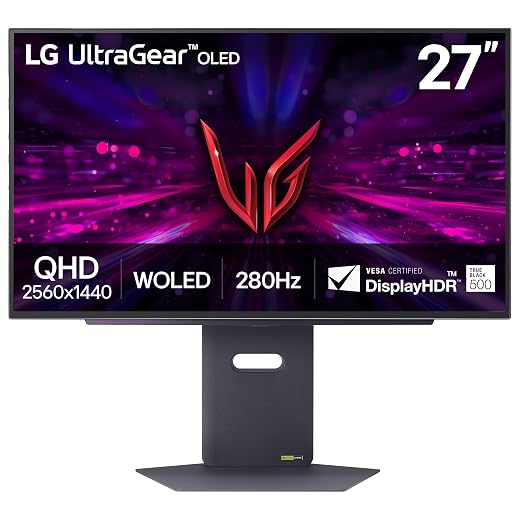
Despite these extensive preventive features, shoppers frequently search for explicit policies regarding image retention. When reviewing the asus rog swift pg34wcdn burn in warranty, the listing does not specify the precise duration, terms, or RMA guidelines governing burn-in coverage. While the proximity detection and cooling safeguards offer meaningful operational defense, buyers who require formal multi-year burn-in guarantees must recognize that such warranty specifics are not detailed in the retail product data. Those seeking smaller alternative form factors can also review how the asus rog swift oled pg27aqdp addresses panel safeguards and desktop footprints.
02Visual Clarity, Text Rendering, and Color Performance
Earlier iterations of QD-OLED monitors faced criticism regarding text legibility due to non-standard subpixel layouts causing magenta and green color fringing along letterforms. ASUS resolves this limitation on the PG34WCDN by adopting a standard RGB stripe subpixel structure. Because subpixels are arranged in parallel lines, asus rog swift pg34wcdn text clarity is notably crisp and uniform. Document editing, programming, and web browsing no longer suffer from blurry typography or distracting edge artifacts, making this monitor far more suitable for hybrid productivity workflows than previous ultrawide OLED iterations.
Color performance and HDR compliance meet high professional benchmarks. The asus rog swift pg34wcdn specs feature factory calibration to a Delta E of less than 2, true 10-bit color processing, and 99 percent coverage of the cinematic DCI-P3 color gamut, backed by a color gamut rating of 135. With VESA DisplayHDR 500 True Black compliance, black levels reach absolute zero while specular highlights render with nuanced detail. To further support creative professionals, ASUS bundles a complimentary 3-month Adobe Creative Cloud subscription redeemable through August 31, 2028.
Luminance output is tuned for controlled illumination environments. With a peak brightness rating of 500 candela per square meter, the screen produces punchy highlights in dark or moderately lit gaming spaces. However, in environments with direct, unshaded sunlight, this brightness ceiling may feel less commanding than traditional high-output mini-LED backlights. The BlackShield film and matte finish actively help counteract daytime washout, but careful positioning relative to external windows remains advisable.
03Gaming Performance and Motion Handling at 360Hz
The core identity of the asus rog swift pg34wcdn for gaming centers around unprecedented speed on an ultrawide canvas. Driven by a 360Hz refresh rate and a gray-to-gray response time of 0.03ms, the panel virtually eliminates motion smear, ghosting, and pixel overshoot. In high-speed tactical shooters and racing simulators, tracking fast-moving targets across the wide visual plane feels completely instantaneous, giving players an operational clarity that traditional LCD gaming panels cannot replicate.
The immersive qualities of the display are elevated by its gentle 1800R curvature. Spanning a 34-inch diagonal across a 21:9 aspect ratio, the curve matches the human eye’s natural field of view, keeping edge details within comfortable peripheral reach while minimizing optical distortion across the 178-degree viewing angles. Gamers upgrading from standard 16:9 displays like the asus rog swift pg27aqdp gain substantial horizontal real estate without compromising competitive refresh rates.
Hardware configuration is streamlined via the DisplayWidget Center software utility. Rather than navigating physical on-screen display buttons behind the bezel, users can modify picture profiles, color spaces, and gaming overlays directly through Windows. The software also manages automatic firmware updates and lets gamers export or import customized settings profiles, making it easy to replicate configurations used by professional esports athletes.
04Connectivity, Bandwidth, and Potential Problems
Bandwidth saturation has long been a technical hurdle for high-refresh ultrawide monitors. The implementation of asus rog swift pg34wcdn displayport 2.1 resolves this bottleneck by delivering full UHBR20 support with 80Gbps bandwidth. This massive connection pipe allows the monitor to run uncompressed 3440×1440 resolution at 360Hz with full 10-bit color, removing the need for display stream compression when paired with compatible graphics cards. The port array is rounded out by HDMI 2.1 and a versatile USB-C port that provides 90-watt Power Delivery to charge and drive high-performance laptops through a single connection.
When considering potential asus rog swift pg34wcdn problems, prospective owners should account for hardware demands, physical size, and power draw. The monitor consumes 85 watts under normal operation, reflecting the computational overhead of sustaining 360Hz across an ultrawide QD-OLED matrix. Additionally, the stand requires 10.9 inches of desk depth to stabilize its 18.3-pound chassis, which may crowd shallow workstations. Users evaluating standard desktop footprints can contrast this form factor against monitors like the asus rog swift oled 27 1440p to gauge space requirements.
Another factor is graphics card synergy. Achieving 360 frames per second at 3440×1440 requires elite GPU hardware, particularly in modern visually intensive games. Furthermore, to access the full UHBR20 80Gbps transmission speeds over DisplayPort 2.1, your graphics card must explicitly support that transmission tier. On older systems, users will need to operate at reduced refresh rates or utilize display compression, meaning the full potential of this display requires an equally capable PC platform.
The verdict
ASUS ROG Swift PG34WCDN
9.2/10
Our score
Very positive
Scores are out of 10, based on listed specifications and buyer feedback.
Deciding whether is asus rog swift pg34wcdn worth it comes down to whether your gaming setup can take full advantage of its cutting-edge specifications. The ASUS ROG Swift PG34WCDN resolves major pain points that previously held QD-OLED monitors back. By integrating an RGB stripe subpixel layout that sharpens text clarity, applying a scratch-resistant BlackShield film, and outfitting the chassis with full 80Gbps DisplayPort 2.1 bandwidth, ASUS has delivered a mature, forward-thinking gaming display built for extreme performance.
While the 85-watt power consumption, considerable desk footprint, and unstated retail warranty terms represent notable trade-offs, the panel excels in every performance metric that matters to high-end gamers and visual creators. If you have the graphics hardware to fuel a 3440×1440 resolution at 360Hz, this monitor stands as one of the most capable, immersive, and visually stunning ultrawide options on the market.
Pros
- Ultra-smooth 360Hz refresh rate with 0.03ms response
- DisplayPort 2.1 UHBR20 with full 80Gbps bandwidth
- RGB stripe layout delivers sharp text clarity
- BlackShield film provides 2.5X better scratch resistance
- Neo Proximity Sensor automates burn-in protection
Cons
- Listing does not specify burn-in warranty duration
- High 85-watt operational power consumption
- Deep stand footprint requires 10.9 inches of space
- 500 cd/m² brightness can struggle in direct sun
Buy it if
- You demand absolute 360Hz motion fluidity and 0.03ms response times on an immersive 21:9 ultrawide panel.
- You need crisp text legibility alongside professional 99% DCI-P3 color fidelity, facilitated by the RGB stripe subpixel arrangement.
- You own top-tier modern PC hardware that can leverage DisplayPort 2.1 UHBR20 at full 80Gbps uncompressed bandwidth.
- You want automated burn-in prevention through a Neo Proximity Sensor that powers down pixels the moment you leave your seat.
Skip it if
- Your desk setup is placed directly across from bright, unshaded windows where a 500 cd/m² brightness ceiling might struggle against glare.
- You require explicit, published multi-year burn-in warranty durations up front, as the retail listing does not specify warranty terms.
- Your workspace cannot support an 18.3-pound ultrawide monitor stand requiring nearly 11 inches of depth.
See it on AmazonAffiliate link. Price and stock change at Amazon, not here.
Questions buyers ask
Does the ASUS ROG Swift PG34WCDN suffer from text fringing?
No, the PG34WCDN utilizes RGB stripe pixel OLED technology. Because the red, green, and blue subpixels are aligned in standard vertical stripes rather than triangular or non-standard configurations, text edges remain sharp and readable without the color fringing artifacts found on earlier QD-OLED screens.
What does the BlackShield Film Protection do?
The BlackShield film is an optical panel coating that boosts surface hardness, providing 2.5 times greater scratch resistance against accidental contact. It also enhances perceived black levels by up to 40 percent compared to prior QD-OLED panels, preserving contrast in illuminated rooms.
How does the Neo Proximity Sensor prevent burn-in?
The Neo Proximity Sensor is a core component of ASUS OLED Care Pro that detects physical presence. When you step away from your workstation, the sensor triggers an instantaneous black screen, cutting pixel illumination immediately to minimize static wear and heat accumulation.
What bandwidth does the DisplayPort 2.1 port provide?
The monitor features DisplayPort 2.1 with UHBR20 support, offering the maximum standard bandwidth of 80Gbps. This high-bandwidth interface allows compatible graphics cards to transmit uncompressed 3440×1440 visuals at 360Hz with 10-bit color depth.
Can the USB-C port power a laptop?
Yes, the USB-C port includes 90-watt Power Delivery. It allows you to connect a compatible laptop to transmit video signals, handle data, and charge the laptop battery simultaneously over a single cable.
How this review was put together
- Specs are quoted from the Amazon listing, not measured in a lab.
- The score is out of 10, based on listed specifications and buyer feedback.
- Prices were read from the listing when this page was last built and move without notice.
2,605 reviews · 1,445 rated products · 87 brands tracked
We earn a commission when you buy through our Amazon links. That never changes a score.