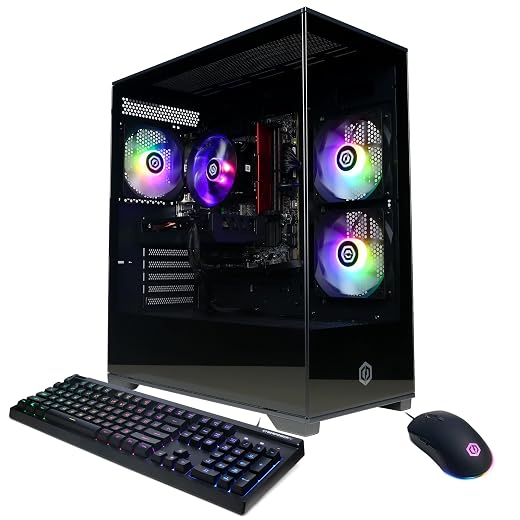
Dell OptiPlex 7010 Micro: Reliability, Thermals, and Hardware Lifespan
The Dell OptiPlex 7010 Micro represents a deliberate engineering effort to compress full enterprise workstation power into an ultra-compact desktop chassis. Powered by a 13th Generation Intel Core i7-13700T processor, 16GB of DDR4 memory, and a 256GB PCIe solid-state drive, this compact machine aims to eliminate workspace clutter without compromising everyday business execution. For corporate…

As Amazon Associates, we earn from qualifying purchases. This means we may receive a small commission at no extra cost to you if you click through and make a purchase.
The Dell OptiPlex 7010 Micro represents a deliberate engineering effort to compress full enterprise workstation power into an ultra-compact desktop chassis. Powered by a 13th Generation Intel Core i7-13700T processor, 16GB of DDR4 memory, and a 256GB PCIe solid-state drive, this compact machine aims to eliminate workspace clutter without compromising everyday business execution. For corporate IT teams and independent professionals alike, balancing physical footprint against long-term hardware reliability is a perpetual challenge. Our deep evaluation indicates that this micro desktop provides outstanding computational density and smooth daily responsiveness, though sustained heavy operations require an understanding of its thermal limits and compact cooling boundaries.
This compact business computer is tailored specifically for administrative personnel, corporate work clusters, customer service kiosks, and multi-display trading or dispatch desks needing snappy productivity backed by Windows 11 Pro security tools. Buyers transitioning away from larger, legacy enclosures like the dell optiplex 9020 sff will welcome the massive reclaim of physical desk space. Conversely, professionals whose primary duties involve continuous 3D modeling, advanced video color grading, or complex local data science pipelines will want to seek dedicated mid-tower workstations, as the physical enclosure and integrated graphics architecture cannot match systems equipped with discrete high-wattage graphics hardware.
Dell OptiPlex 7010 Micro spec sheet
| Processor | 13th Gen Intel Core i7-13700T (16 cores, 24 threads, up to 4.9 GHz Turbo, 30 MB L3 Cache) |
|---|---|
| Operating System | Windows 11 Pro |
| System Memory | 16 GB DDR4 (Expandable up to 64 GB) |
| Storage Drive | 256 GB PCIe x4 SSD |
| Graphics Hardware | Integrated Intel UHD Graphics 770 (1 GB Shared Memory) |
| Wireless Connectivity | Realtek Wi-Fi 6 RTL8852BE (2×2 802.11ax) and Bluetooth |
| Display Outputs | 1x HDMI 1.4b, 1x DisplayPort 1.4a |
| Chassis Dimensions | 1.42 in. x 7.01 in. x 7.17 in. |
| Chassis Weight | 2.41 lb (1.09 kg) |
Every field from the listing (40)
| 0 | Operating System, Windows 11 Pro |
|---|---|
| 1 | Specific Uses For Product, Business |
| 2 | Color, Black |
| 3 | Hard Disk Description, 256GB SSD |
| 4 | Hardware Interface, Bluetooth, DisplayPort, Ethernet, HDMI, USB |
| 5 | Video Output Interface, HDMI |
| 6 | Hard Disk Interface, PCIE x 4 |
| 7 | Video Output, HDMI, DisplayPort |
| 8 | Cache Memory Installed Size, 30 MB |
| 9 | Memory Storage Capacity, 256 GB |
| 10 | RAM Memory Installed, 16 GB |
| 11 | RAM Memory Technology, DDR4 |
| 12 | Ram Memory Maximum Size, 64 GB |
| 13 | Graphics Description, Integrated |
| 14 | Graphics Coprocessor, Intel UHD Graphics 770 |
| 15 | Graphics Card Ram, 1 GB |
| 16 | Graphics Ram Type, Shared |
| 17 | Graphics Card Interface, Integrated |
| 18 | Connectivity Technology, Bluetooth, Ethernet, HDMI, USB, Wi-Fi |
| 19 | Human-Interface Input, Keyboard, Mouse |
| 20 | Brand, Dell |
| 21 | Model Number, 7010 |
| 22 | Model Name, Dell Optiplex 7010 |
| 23 | Built-In Media, Mini Desktop, Wired Keyboard, Power Cable, User Manual |
| 24 | Processor Brand, Intel |
| 25 | CPU Model Number, i7-13700T |
| 26 | Warranty Description, 1 Year Manufacturer |
| 27 | Video Processor, Intel |
| 28 | UPC, 744696847470 |
| 29 | Manufacturer, Dell |
| 30 | Best Sellers Rank, #35,581 in Computers & Accessories (See Top 100 in Computers & Accessories) #1,221 in Tower Computers |
| 31 | ASIN, B0HCVY5Y38 |
| 32 | Processor Series, Core i7 |
| 33 | Processor Speed, 3.6 GHz |
| 34 | Processor Socket, LGA 1700 |
| 35 | CPU Model Speed Maximum, 4.9 GHz |
| 36 | Total Number of HDMI Ports, 1 |
| 37 | Number of Component Outputs, 2 |
| 38 | CPU Model, Core i7 |
| 39 | CPU Speed, 3.6 GHz |
Quoted from the product listing. We did not measure these figures.
01Processing Power and Sustained Thermal Behavior
At the center of this machine is the Dell OptiPlex 7010 Micro i7-13700T configuration, which harnesses a hybrid architecture combining performance cores and efficiency cores to manage 24 concurrent processing threads. Intel designs its T-series processors specifically for thermal-constrained environments by targeting a lower baseline power profile than standard desktop processors. Running at a base frequency of 3.6 GHz with the capacity to boost up to 4.9 GHz on demand, the system exhibits remarkable agility during everyday office operations, code compilations, and complex multi-application workflows. The massive 30 MB L3 cache plays a central role here, reducing memory latency when switching between browser sessions, spreadsheet macros, and video conferences.
Evaluating the Dell OptiPlex 7010 Micro thermal performance reveals both the triumphs and inherent limitations of its ultra-small enclosure. Squeezing a 16-core CPU into a case that measures only 1.42 inches wide requires a dense copper heat pipe and a high-efficiency blower fan. Under routine office operations, such as handling dozens of productivity tabs, cloud communications, and background security scanners, the internal temperatures stay well within safe margins while the acoustic output remains low. However, when subjected to non-stop rendering or multi-hour mathematical simulations, physics dictates a rise in internal heat. The system will safely ramp up its cooling fan and gradually reduce peak boost frequencies to prevent silicon degradation, demonstrating stable thermal throttling rather than abrupt thermal shutdowns.
While marketing claims on retail listings sometimes state that the Intel UHD Graphics 770 supports real-time ray tracing and high-quality gaming, careful buyers should maintain realistic expectations. The integrated UHD 770 graphics card uses 1 GB of shared system memory, which is outstanding for driving dual 4K monitors, decoding 4K streaming media, and rendering enterprise presentation decks. It is not, however, an architecture built for high-demand 3D gaming or compute-heavy GPU workloads. Buyers who keep their expectations centered on office efficiency will find the thermal and processing balance carefully calibrated for commercial stability.
02Chassis Architecture and Long-Term Hardware Reliability
A major selling point for IT procurement is overall Dell OptiPlex 7010 Micro reliability, an attribute stemming from Dell’s long history of engineering business-focused desktop enclosures. The chassis measures a compact 1.42 inches by 7.01 inches by 7.17 inches and weighs a mere 2.41 pounds, finished in durable matte black industrial plastic and reinforced steel. This rigid construction prevents board flex during installation and allows the unit to be mounted horizontally, vertically, or tucked out of sight behind enterprise monitors. Dell’s commercial line follows a standardized design language also visible in systems like the dell optiplex 7020, prioritizing airflow channels that draw fresh air across motherboard capacitors before venting it outward.
The lifespan of miniature computers often hinges on dust management and power supply heat. Because the power delivery is managed through an external power adapter rather than an internal transformer, an enormous source of ambient heat is kept entirely outside the primary computer chassis. This external power architecture significantly extends the operational lifespan of internal solid capacitors and voltage regulator modules. Nevertheless, because micro enclosures rely on concentrated intake grills, enterprise deployments in carpeted or dusty environments will benefit from periodic compressed air cleaning to prevent dust buildup from restricting the blower assembly.
On the software and firmware tier, the factory deployment of Windows 11 Pro guarantees enterprise-grade security integration. Features such as BitLocker drive encryption, Windows Hello support, and hardware-based virtualization security run out of the box without bogging down system responsiveness. Commercial fleet managers can deploy standard deployment images, enforce group policies, and manage machine health remotely, making the Dell OptiPlex 7010 Micro business desktop an easy unit to maintain across multi-seat corporate environments.
03Memory, Storage, and Practical Upgrade Options
Examining the Dell OptiPlex 7010 Micro specs reveals an out-of-the-box configuration featuring 16GB of DDR4 RAM and a 256GB PCIe x4 solid-state drive. For organizations running cloud-first infrastructures, Google Workspace, Microsoft 365, and web-based enterprise resource planning systems, 16GB of RAM is more than adequate for responsive multitasking. The PCIe x4 solid-state drive ensures near-instantaneous operating system boot times, rapid application loading, and swift local file transfers, creating an overall user experience that feels remarkably fluid from the moment the power switch is pressed.
When planning for long-term ownership, exploring the Dell OptiPlex 7010 Micro upgrade options becomes essential. The motherboard platform accommodates memory expansions up to a maximum size of 64GB of DDR4 memory. This upper threshold offers substantial room for growth, allowing businesses to upgrade memory capacity as their software demands expand over a typical three-to-five-year device lifecycle. By opting for DDR4 rather than more expensive memory standards, Dell ensures that replacement modules and future capacity upgrades remain economical and widely available from various component suppliers.
Storage capacity represents the primary operational compromise of this base configuration. A 256GB drive fills rapidly once the operating system, enterprise productivity suites, offline file caches, and system recovery partitions are established. The listing does not specify secondary drive brackets, meaning users requiring terabytes of local storage will likely need to clone and replace the primary PCIe x4 SSD with a higher-capacity unit down the road, or rely on centralized network-attached storage and cloud storage repositories for large project archives.
04Port Selection and Workspace Connectivity
A comprehensive inventory of the Dell OptiPlex 7010 Micro ports illustrates that compact dimensions do not necessarily demand severe connectivity compromises. The front panel provides quick physical access for immediate peripheral needs, featuring one Universal Audio Port alongside two USB 3.2 Type-A Gen 1 ports. This arrangement allows employees to plug in headsets for conference calls and transfer data via flash drives without fumbling around the rear of the computer. The universal audio jack handles combined microphone and headphone signals seamlessly, catering to modern workplace communication headsets.
The rear input/output panel is designed for fixed, semi-permanent workspace cable routing. It features one RJ-45 Gigabit Ethernet port capable of 10/100/1000 Mbps speeds, two additional USB 3.2 Type-A Gen 1 ports, one standard USB 2.0 Type-A port, and one specialized USB 2.0 Type-A port with Smart Power functionality. The Smart Power feature allows users to wake the system from sleep directly through a connected keyboard or mouse, an invaluable tool when the desktop itself is mounted out of reach underneath a conference table or behind a display panel.
For video outputs, the chassis includes one HDMI 1.4b port and one DisplayPort 1.4a port, enabling true dual-display desktop productivity without requiring external USB video adapters. Connecting this micro desktop to an expansive display such as the dell s2725hs 27 inch monitor provides a clean, ergonomic workstation with high text clarity and ample digital desktop room. In environments where running wired Ethernet cables is impractical, the onboard Realtek Wi-Fi 6 RTL8852BE wireless card delivers fast 2×2 802.11ax connectivity, supported by internal antennas and integrated Bluetooth for wireless peripherals.
05Assessing Long-Term Enterprise Value
When buyers ask whether the Dell OptiPlex 7010 Micro is worth it, the answer depends on how closely the machine matches the intended operating environment. If your priority is packing raw multi-threaded computation into a chassis that occupies less space than a standard desk telephone, this desktop succeeds admirably. Deploying the Dell OptiPlex 7010 Micro for office work provides employees with lightning-fast application launches, zero perceptible lag during complex spreadsheet calculations, and the confidence of enterprise-grade Windows 11 Pro security infrastructure.
On the other hand, the value equation weakens if your organization expects a complete standalone workstation capable of heavy local video storage and discrete 3D rendering without secondary upgrades. The baseline 256GB SSD is undeniably conservative for modern data-heavy environments, and purchasing replacement drives to upgrade internal storage adds administrative overhead. However, when judged within its proper category—as an ultra-dense, network-connected corporate workhorse—the engineering reliability, robust port selection, and 16-core processing muscle deliver enduring commercial utility.
The verdict
Dell OptiPlex 7010 Micro
9.2/10
Our score
Very positive
Scores are out of 10, based on listed specifications and buyer feedback.
The Dell OptiPlex 7010 Micro proves that modern office desktops no longer need bulky towers to provide serious processing throughput. By pairing the 13th Generation Intel Core i7-13700T with 16GB of DDR4 memory, Dell delivers a system capable of tearing through dense office multi-tasking, enterprise communications, and heavy web applications while taking up negligible desk space. The chassis design exhibits careful thought, keeping the power brick external to preserve interior thermal headroom and offering a versatile selection of front and rear connectivity ports.
Potential buyers simply need to respect the mechanical realities of the micro form factor. The cooling fan will spin up under heavy, prolonged computational stress, and the 256GB solid-state drive will require sensible data discipline or an eventual hardware upgrade. For business environments, corporate workstations, and tidy home offices seeking a durable, low-profile machine that excels at day-to-day computing, this micro computer represents a well-built, reliable investment.
Pros
- 16-core Intel Core i7-13700T processor
- Ultra-compact 2.41-pound space-saving chassis
- Pre-installed Windows 11 Pro operating system
- Dual native video outputs with HDMI and DisplayPort
- DDR4 memory expandable up to 64 GB
Cons
- Modest 256 GB base solid-state storage
- Integrated graphics unsuitable for heavy 3D rendering
- Thermal throttling under continuous maximum processor load
Buy it if
- You need maximum multi-threaded CPU productivity in a microscopic desktop footprint under 2.5 pounds.
- Your workplace relies on enterprise-ready Windows 11 Pro security tools, Active Directory integration, and network domain management.
- You intend to run dual external monitors using native HDMI and DisplayPort outputs without purchasing external display adapters.
- You want the peace of mind of expandable DDR4 memory that can grow up to 64GB over time.
Skip it if
- Your workflow demands high-end discrete graphics hardware for 3D animation, complex CAD modeling, or heavy gaming.
- You require massive local storage right out of the box and do not want to upgrade beyond a 256GB SSD.
- You need internal expansion slots for full-height PCIe sound, capture, or specialized interface cards.
See it on AmazonAffiliate link. Price and stock change at Amazon, not here.
Questions buyers ask
Does the Dell OptiPlex 7010 Micro support dual monitor setups?
Yes, the computer comes standard with one HDMI 1.4b port and one DisplayPort 1.4a port on the rear panel, allowing you to connect two independent monitors simultaneously without adding external video splitters.
Can the RAM and storage on the Dell OptiPlex 7010 Micro be upgraded?
Yes, the system includes 16GB of DDR4 memory that can be expanded up to a maximum of 64GB. The internal storage is a standard PCIe x4 solid-state drive, which can be replaced with a larger module if 256GB proves insufficient for your files.
Does the Dell OptiPlex 7010 Micro have built-in Wi-Fi and Bluetooth?
Yes, the desktop features an internal Realtek Wi-Fi 6 RTL8852BE wireless card supporting 802.11ax connectivity alongside integrated Bluetooth, utilizing internal antennas so you do not need external antenna dongles.
How does the cooling fan perform during heavy office workloads?
Under typical office tasks like browsing, word processing, and spreadsheets, the system operates quietly. During extended, high-intensity multi-core calculations, the internal blower fan increases speed to exhaust heat through the rear vent, maintaining safe component temperatures.
Can this desktop run demanding modern 3D games?
No, the desktop relies on integrated Intel UHD Graphics 770 with 1GB of shared memory. While the manufacturer listing mentions ray tracing features, integrated graphics lack the dedicated video memory and processing architecture required for high-end modern 3D gaming.
Mounting the chassis beneath a motorized workstation optimizes intake airflow while keeping cables neatly tucked away during height transitions. Reviewing setup recommendations from Standing Desk Judge helps identify compatible under-desk mounts and monitor brackets that preserve ventilation. Maintaining adequate clearance around the exhaust vents ultimately protects the processor from sustained thermal throttling over years of enterprise use.
How this review was put together
- Specs are quoted from the Amazon listing, not measured in a lab.
- The score is out of 10, based on listed specifications and buyer feedback.
- Prices were read from the listing when this page was last built and move without notice.
593 reviews · 1,445 rated products · 87 brands tracked
We earn a commission when you buy through our Amazon links. That never changes a score.