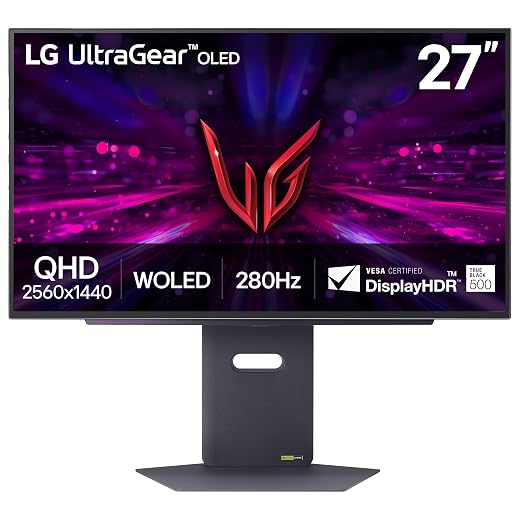
LG UltraGear 27GS60QC-B Analysis: Durability, Quirks, and Performance
The LG UltraGear 27GS60QC-B is a 27-inch curved gaming display designed to blend a dense 2560×1440 QHD resolution with a high-speed 180Hz refresh rate and a tight 1000R curvature. Constructed around a vertical alignment LCD panel with an LED backlight, it targets PC gamers seeking enhanced immersion, reduced input lag through Dynamic Action Sync, and…

As Amazon Associates, we earn from qualifying purchases. This means we may receive a small commission at no extra cost to you if you click through and make a purchase.
The LG UltraGear 27GS60QC-B is a 27-inch curved gaming display designed to blend a dense 2560×1440 QHD resolution with a high-speed 180Hz refresh rate and a tight 1000R curvature. Constructed around a vertical alignment LCD panel with an LED backlight, it targets PC gamers seeking enhanced immersion, reduced input lag through Dynamic Action Sync, and tear-free visuals courtesy of AMD FreeSync. The verdict on this unit is clear: it offers solid pixel density and fluid frame delivery for casual and simulation gaming, but its aggressive physical curve, tilt-only stand, and typical VA motion traits require specific trade-offs that shoppers should understand before buying.
This monitor suits budget-conscious PC players who sit directly in front of their desk and prioritize panoramic field-of-view coverage in racing, flight, or open-world titles. Conversely, competitive esports enthusiasts requiring crystal-clear dark-level motion clarity, as well as office workers who collaborate side-by-side or demand full ergonomic adjustability, will find this monitor ill-suited to their needs. Shoppers evaluating an LG UltraGear QHD option must weigh whether a sharp 1000R arc complements their specific workspace and posture.
LG UltraGear 27GS60QC-B spec sheet
| Screen Size | 27 inches |
|---|---|
| Native Resolution | 2560 x 1440 pixels (QHD) |
| Panel Technology | VA LCD (LED backlighting) |
| Screen Curvature | 1000R |
| Refresh Rate | 180Hz |
| Response Time | 1ms GtG |
| Brightness | 300 cd/m² |
| Contrast Ratio | 1000:1 |
| Color Gamut | Up to 99% sRGB (Color Gamut 95) |
| Connectivity | 2x HDMI, 1x DisplayPort |
| Stand Adjustability | Tilt only |
| Power Consumption | 19 watts |
Every field from the listing (40)
| 0 | Aspect Ratio, 16:9 |
|---|---|
| 1 | Screen Finish, Matte |
| 2 | Contrast Ratio, 1000:1 |
| 3 | Refresh Rate, 180 hertz |
| 4 | Display Type, LED |
| 5 | Display Technology, LCD |
| 6 | Viewing Angle, 178 degrees |
| 7 | Brightness, 300 |
| 8 | Pixel Pitch, 109 |
| 9 | Color Gamut, 95 |
| 10 | Picture Quality Enhancement Technology, HDR 10, HDR Effect |
| 11 | Screen Size, 27 inches |
| 12 | Item Dimensions D x W x H, 8.92"D x 23.81"W x 17.74"H |
| 13 | Item Weight, 10.6 pounds |
| 14 | Resolution, QHD Wide 1440p |
| 15 | Display Resolution Maximum, 2560 x 1440 pixels |
| 16 | Native Resolution, 2560×1440 |
| 17 | Power Consumption, 19 watts |
| 18 | Connectivity Technology, DisplayPort, HDMI |
| 19 | Hardware Connectivity, DisplayPort, HDMI, Headphone |
| 20 | Adaptive Sync, FreeSync |
| 21 | Additional Features, Dynamic Action Sync, Energy Efficient, Flicker-Free, High Dynamic Range |
| 22 | Specific Uses For Product, Gaming |
| 23 | Color, Black |
| 24 | Mounting Type, Wall Mount |
| 25 | Warranty Type, Limited |
| 26 | Shape, rectangular prism |
| 27 | Brand, LG |
| 28 | Model Number, 27GS60QC-B.AUSQ |
| 29 | Model Name, 27GS60QC-B.AUSQ |
| 30 | Warranty Description, 1 Year Manufacturer |
| 31 | UPC, 195174084977 |
| 32 | Manufacturer, LG Electronics Inc. |
| 33 | Unit Count, 1 Count |
| 34 | Included Components, Monitor, Power Adapter |
| 35 | Best Sellers Rank, #1,502 in Electronics (See Top 100 in Electronics) #53 in Computer Monitors |
| 36 | ASIN, B0D2FZS3JM |
| 37 | Response Time, 1 milliseconds |
| 38 | Processor Count, 1 |
| 39 | Total Number of HDMI Ports, 2 |
Quoted from the product listing. We did not measure these figures.
01Curvature Physics and Structural Longevity
The primary design feature defining the LG UltraGear 27G61ZB-B and similar modern monitors is curvature, and on this display, LG implemented a deep 1000R radius. In practical terms, a 1000R curve matches the perimeter of a circle with a one-meter radius, wrapping the edges of the 27-inch panel forward into the user’s peripheral sightlines. While this geometry reduces the eye refocusing distance required when glancing from the center to the corners, it introduces mechanical considerations. The internal layers of an LCD panel are manufactured flat and then flexed under continuous mechanical tension within the outer housing, which concentrates physical stress along the top and side borders.
When assessing long-term durability, curved panels inherently demand gentler handling than flat panels. Applying uneven pressure to the outer edges during unboxing, desk repositioning, or cleaning can place direct strain on the layered liquid crystal sandwich. Shifting pressure points can exacerbate edge backlight bleed or cause minor optical nonuniformities across solid dark backgrounds. For prospective owners, maintaining structural integrity means avoiding grabbing the monitor by its curved edges and ensuring it remains protected from accidental impacts.
Optical consistency across a curved surface also depends heavily on user alignment. Although the listing specifies a wide 178-degree viewing angle, VA technology naturally exhibits color and contrast shifts when observed from off-axis perspectives. Because the 1000R curve bends the outer thirds inward toward a single focal point, the sweet spot is relatively compact. Sitting off-center by even a small margin alters the angle of incidence, causing near-edge colors to appear slightly washed out compared to the dead-center viewing position.
02Motion Handling, 180Hz Performance, and Pixel Response
Gamers analyzing this panel typically focus on the pairing of a 180Hz refresh rate and a claimed 1ms Gray-to-Gray response time. Achieving 180 frames per second over DisplayPort ensures that camera pans and high-velocity animations feel notably smoother than standard 60Hz or 144Hz screens. The display also incorporates AMD FreeSync, which matches the refresh rate dynamically to your graphics card frame output, eliminating screen tearing without inducing heavy buffer lag. Complementing this is Dynamic Action Sync, which streamlines internal processing to reduce display input latency.
However, real-world panel physics dictate that vertical alignment displays manage light transitions differently than rapid IPS or premium self-emissive designs like the LG 27GX704A-B 27-inch UltraGear QHD OLED gaming monitor 240Hz. While transitions between bright shades can approach low response figures, transitions involving deep black pixels require significantly more time for liquid crystals to reorient. In practice, a user running a dark-scene motion test or moving past shadowed doorways in tactical titles may perceive trailing or minor black smearing behind fast-moving assets.
To mitigate dark-scene visual loss, LG integrates a Black Stabilizer function into the on-screen display. This feature artificially lifts gamma in shadowed game zones, brightening dark corners so hidden opponents or terrain obstacles become visible. While helpful for gameplay awareness, raising the black levels lowers perceived contrast in moody narrative environments. The monitor also provides a selectable crosshair overlay and a real-time FPS counter, giving players helpful diagnostic feedback directly through the hardware.
03Ergonomics, Chassis Integrity, and Port Selection
Physical build quality on the monitor leans utilitarian, utilizing a matte black plastic chassis with a three-side borderless aesthetic. Measuring 23.81 inches wide, 17.74 inches high, and 8.92 inches deep on its base, the unit weighs 10.6 pounds. The matte finish on the screen surface prevents harsh reflections from desk lamps and background windows, helping maintain visual clarity under average room lighting conditions.
A notable compromise in the design lies in the included stand. The factory mount offers tilt adjustment only, meaning you can pivot the screen forward and backward to align with your line of sight, but there is no mechanism for raising, lowering, swiveling, or rotating the screen. Because ergonomic comfort requires the top third of the monitor to sit near eye level, taller users may find themselves needing a separate desk riser. Furthermore, the listing does not specify VESA wall-mount bracket compatibility, so prospective buyers intending to use a third-party monitor arm must verify mounting provisions before assuming universal arm support.
Connectivity options are straightforward and functional for standard desktop setups. The rear connection bay provides two HDMI ports and one DisplayPort connection, enabling simultaneous hookup of a gaming PC alongside a console or secondary productivity laptop. LG rates the operational power consumption at a modest 19 watts, ensuring that extended gaming or work sessions generate minimal heat and maintain low electrical draw.
04Color Accuracy, HDR Output, and Daily Usability
With a resolution of 2560×1440 spread across a 27-inch diagonal, the display achieves a pixel pitch of roughly 109 pixels per inch. This density offers an ideal balance for modern graphics hardware, delivering crisp typography and detailed game textures without requiring the aggressive interface scaling often necessary on smaller 4K screens. For daily productivity, the screen real estate allows two full-sized application windows to sit comfortably side by side.
Color representation covers up to 99% of the standard sRGB color gamut, with the listing citing a color gamut metric of 95. This gamut profile produces balanced, vivid saturation for web browsing, video streaming, and gaming. The internal menu includes specialized viewing modes such as Gamer, FPS, and RTS presets, allowing users to switch between profile tunings tailored to distinct game types. However, users seeking wide-gamut DCI-P3 coverage for professional photo editing or cinema grading should note that the panel focuses primarily on the sRGB spectrum.
High Dynamic Range support is provided via HDR10 and an automated HDR Effect mode, but buyers should keep performance expectations measured. With a peak brightness specification of 300 cd/m², a standard 1000:1 contrast ratio, and an edge-lit configuration, the screen processes HDR metadata without possessing the extreme luminance or local dimming zones needed to render striking specular highlights. Premium alternatives like the LG UltraGear 27GX700A-B occupy a different performance tier, whereas this monitor delivers entry-level HDR tone mapping that functions best in dimly lit rooms.
05Warranty Realities and Long-Term Ownership
When purchasing modern curved displays, understanding warranty protection and service boundaries is an essential component of buyer due diligence. The product listing does not specify the precise duration of manufacturer warranty coverage, nor does it outline specific pixel-defect tolerances or on-site service policies. As a baseline precaution, buyers should confirm with their retailer whether panel returns are accepted for minor defects such as stuck sub-pixels or noticeable backlight bleed along the curved frame.
Long-term reliability on high-refresh curved panels hinges on thermal stability and environmental care. The 19-watt low power consumption helps ensure internal components remain cool, minimizing thermal cycling fatigue on the driving boards. However, the mechanical stress inherent to curved glass structures means the monitor should never be positioned near localized heat sources such as space heaters or unshaded sunny windows, which can cause differential expansion between the plastic frame and the curved glass panel.
The verdict
LG UltraGear 27GS60QC-B
8.8/10
Our score
Very positive
Scores are out of 10, based on listed specifications and buyer feedback.
The LG UltraGear 27GS60QC-B represents a focused take on mainstream gaming hardware, delivering high-density 1440p fidelity and responsive 180Hz fluid motion at an accessible operating efficiency. Its standout 1000R curvature creates an enveloping field of view that immerses solo players deep into virtual cockpits and sprawling game worlds. Integrated enhancements like Dynamic Action Sync, Black Stabilizer, and FreeSync ensure that hardware frame drops and visual tears remain well controlled during intense action sequences.
Nonetheless, prospective owners must accept the inherent limitations of its underlying hardware. The tilt-only stand lacks height versatility, the 300-nit luminance ceiling delivers only basic HDR tone mapping, and off-axis viewing quickly reveals typical VA panel contrast shifts. If you are a solo desktop player who sits square in front of your display and prioritizes deep curvature and high refresh rates above ergonomic bells and whistles, this monitor stands as an effective, dedicated gaming centerpiece.
Pros
- Sharp 1440p resolution across a 27-inch screen
- Fluid 180Hz refresh rate with AMD FreeSync
- Immersive 1000R curvature wrapping peripheral vision
- Low 19-watt power consumption during operation
- Built-in gaming overlays including crosshairs and FPS counter
Cons
- Tilt-only stand lacking height or swivel adjustment
- Basic 300 nit brightness limits HDR impact
- Potential for dark-level motion smearing on VA panel
Buy it if
- You want high-refresh 180Hz gaming with smooth AMD FreeSync frame pacing at a crisp 1440p resolution.
- You prefer an aggressive 1000R curvature that fills your peripheral vision during simulation or single-player games.
- Your desk setup allows you to sit directly center-stage to maximize contrast and color uniformity.
- You appreciate low operating energy draw alongside useful gaming overlays like crosshairs and FPS counters.
Skip it if
- You require comprehensive stand ergonomics, such as height adjustment, swivel, or pivot flexibility.
- You play high-stakes competitive esports where any trace of dark-pixel smearing hinders target acquisition.
- You frequently share your screen with others, as off-axis viewing angles degrade contrast and color saturation.
See it on AmazonAffiliate link. Price and stock change at Amazon, not here.
Questions buyers ask
Does the LG UltraGear 27GS60QC-B feature height adjustment?
No, the included stand provides tilt adjustment only. It allows users to angle the display forward and backward, but it lacks mechanisms for raising, lowering, swiveling, or rotating into portrait orientation.
How intense is the 1000R curvature during normal desk work?
The 1000R curve is relatively steep for a 27-inch display, matching a one-meter circle radius. While it enhances gaming immersion by wrapping the periphery toward your eyes, straight lines in spreadsheets and design applications will appear physically bent.
Can the LG UltraGear 27GS60QC-B be used for competitive first-person shooters?
The monitor handles 180Hz refresh rates and low input latency via Dynamic Action Sync, making it responsive for general shooters. However, like most VA panels, transition times on deep black shades can produce subtle dark trailing during rapid turns.
Does the monitor have built-in speakers?
The product listing does not specify integrated speakers. Audio is typically routed from connected PCs or consoles to external desktop speakers or dedicated gaming headsets.
What display connections are available on this monitor?
The monitor includes two HDMI ports and one DisplayPort input, allowing you to connect a modern gaming computer alongside a secondary device such as a home console.
How this review was put together
- Specs are quoted from the Amazon listing, not measured in a lab.
- The score is out of 10, based on listed specifications and buyer feedback.
- Prices were read from the listing when this page was last built and move without notice.
2,605 reviews · 1,445 rated products · 87 brands tracked
We earn a commission when you buy through our Amazon links. That never changes a score.