LG UltraGear 32GS60QC QHD Monitor: Long-Term Reliability and Hidden Quirks
The LG UltraGear 32GS60QC is a curved 32-inch gaming display engineered to merge wide viewing angles, fluid frame delivery, and deep static contrast for desktop setups. Featuring a native 2560×1440 QHD resolution, a fast 180Hz refresh rate, AMD FreeSync compatibility, and an aggressive 1000R curvature, this VA panel targets players seeking substantial immersion. Our buyer-advocate…

As Amazon Associates, we earn from qualifying purchases. This means we may receive a small commission at no extra cost to you if you click through and make a purchase.
The LG UltraGear 32GS60QC is a curved 32-inch gaming display engineered to merge wide viewing angles, fluid frame delivery, and deep static contrast for desktop setups. Featuring a native 2560×1440 QHD resolution, a fast 180Hz refresh rate, AMD FreeSync compatibility, and an aggressive 1000R curvature, this VA panel targets players seeking substantial immersion. Our buyer-advocate verdict is straightforward: it serves atmospheric single-player campaigns and casual simulation titles exceptionally well through its strong 3000:1 contrast, but pronounced dark-pixel trailing and a rigid tilt-only stand limit its suitability for competitive esports and precision productivity.
This monitor suits immersive role-playing enthusiasts, space or flight sim pilots, and evening gamers who operate in dim environments where rich black reproduction matters far more than hyper-fast response times. Conversely, competitive first-person shooter competitors, multi-user workstation operators, and graphic designers requiring unwarped geometric lines should look past this display toward flat IPS or high-end OLED alternatives.
LG UltraGear 32GS60QC spec sheet
| Screen Size | 32 inches |
|---|---|
| Panel Technology | VA LED with matte finish |
| Native Resolution | QHD 2560 x 1440 pixels (16:9 aspect ratio) |
| Refresh Rate | 180Hz |
| Response Time | 1ms GtG |
| Curvature Radius | 1000R |
| Contrast Ratio | 3000:1 |
| Brightness | 300 |
| Color Gamut Support | Up to 99% sRGB, HDR10, HDR Effect |
| Connectivity | Two HDMI ports, DisplayPort |
| Ergonomics | Tilt adjustable |
| Power Consumption | 24 watts |
Every field from the listing (40)
| 0 | Aspect Ratio, 16:9 |
|---|---|
| 1 | Screen Finish, Matte |
| 2 | Contrast Ratio, 3000:1 |
| 3 | Refresh Rate, 180 hertz |
| 4 | Display Type, LED |
| 5 | Display Technology, VA |
| 6 | Viewing Angle, 178 degrees |
| 7 | Brightness, 300 |
| 8 | Pixel Pitch, 94 |
| 9 | Color Gamut, 99 |
| 10 | Picture Quality Enhancement Technology, HDR 10, HDR Effect |
| 11 | Screen Size, 32 inches |
| 12 | Item Dimensions D x W x H, 8.9"D x 27.6"W x 20"H |
| 13 | Item Weight, 13 pounds |
| 14 | Resolution, QHD Wide 1440p |
| 15 | Display Resolution Maximum, 2560 x 1440 pixels |
| 16 | Native Resolution, 2560×1440 |
| 17 | Power Consumption, 24 watts |
| 18 | Connectivity Technology, DisplayPort, HDMI |
| 19 | Hardware Connectivity, DisplayPort, HDMI |
| 20 | Adaptive Sync, FreeSync |
| 21 | Additional Features, Adaptive Sync, Curved, High Dynamic Range, Tilt Adjustment |
| 22 | Specific Uses For Product, Gaming |
| 23 | Color, Black |
| 24 | Mounting Type, Wall Mount |
| 25 | Warranty Type, 1 Year Manufacturer Warranty |
| 26 | Shape, Curved |
| 27 | Brand, LG |
| 28 | Model Number, 32GS60QC-B.AUSQ |
| 29 | Model Name, 32GS60QC-B.AUSQ |
| 30 | Warranty Description, 1 Year Parts and Labor |
| 31 | Series Number, 32 |
| 32 | UPC, 195174084960 |
| 33 | Manufacturer, LG Electronics Inc. |
| 34 | Unit Count, 1 Count |
| 35 | Included Components, Monitor, Power Adapter |
| 36 | Best Sellers Rank, #1,502 in Electronics (See Top 100 in Electronics) #53 in Computer Monitors |
| 37 | ASIN, B0D2FSYS5J |
| 38 | Response Time, 1 milliseconds |
| 39 | Total Number of HDMI Ports, 2 |
Quoted from the product listing. We did not measure these figures.
01Curvature Immersion and Geometric Distortion
The defining visual aspect of this display is its deep 1000R curvature radius, which matches the optical curve of human eyesight. On a screen of this scale, bending the perimeter inward envelops your field of view and pulls peripheral details into direct sightlines during flight and driving simulations. However, shoppers frequently ask about lg ultragear 1000r curve issues when using the monitor outside pure gaming contexts. While the listing states a 178-degree viewing angle, moving off-center on a 1000R arc introduces subtle gamma inconsistencies and edge dimming along the far borders.
For individuals who balance evening gaming with daytime spreadsheet work or creative media production, the curvature causes noticeable geometric warping. Straight horizontal lines bow across the 32-inch expanse, making CAD drafting, architectural rendering, and window tiling look unnatural. Operating across an expansive lg ultragear qhd 32 inch canvas demands visual adaptation, and users sensitive to distorted gridlines often struggle during continuous desk sessions. Those seeking a less overwhelming footprint frequently consider the LG UltraGear 27GS60QC-B, which offers comparable curved characteristics within a tighter desktop perimeter.
Resolution scaling across a 32-inch diagonal is another factor buyers must assess. A resolution of 2560×1440 yields a pixel pitch of 94, translating to roughly 93 pixels per inch. While QHD looks extremely crisp on smaller screens, stretching those same pixels across a large 32-inch surface produces slightly softer font edges in text documents. Sitting at a healthy viewing distance minimizes this softness, but shoppers expecting microscopic text rendering should note this physical limitation.
02Motion Handling and Response Realities
Examining the official lg ultragear qhd specs reveals an enticing combination: a rapid 180Hz refresh rate paired with an advertised 1ms GtG response time. In practical use, however, potential lg 32gs60qc va panel ghosting remains a primary concern for fast-paced titles. VA matrices rely on liquid crystals that transition sluggishly from dark shades to lighter tones. While transitions between gray shades occur swiftly, dark-to-bright shifts lag behind, producing visible trailing, smearing, and black crush behind rapid silhouettes in shadowy game corridors.
LG mitigates latency through integrated firmware tools, incorporating Dynamic Action Sync to minimize processing lag alongside an on-screen FPS Counter and crosshair overlays. Variable refresh rate capabilities via AMD FreeSync and VESA Adaptive Sync eliminate screen tearing by locking monitor output to graphics card frame delivery. When playing simulators, action-adventure journeys, or casual multiplayer titles, the frame rendering on this lg ultragear 180hz 1440p monitor feels responsive, cohesive, and remarkably fluid.
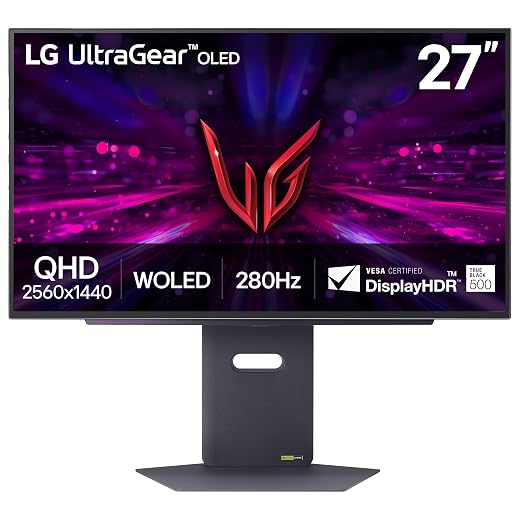
Nevertheless, deploying the lg ultragear qhd for gaming in high-stakes esports tournaments exposes inherent panel constraints. In twitch shooters where fast camera tracking is mandatory, the dark trailing can obscure targets against gloomy backgrounds. Players who refuse to compromise on motion clarity often look toward rapid self-emissive displays such as the LG 27GX704A-B 27-inch UltraGear QHD OLED gaming monitor 240Hz, which completely avoids VA smearing through instantaneous pixel state changes.
03Contrast, Color, and Dynamic Range Realities
The greatest visual strength of this VA panel is its 3000:1 static contrast ratio, exceeding traditional IPS panels that generally hover around 1000:1. In pitch-black or low-light gaming environments, blacks look deep and satisfying rather than milky gray. This native depth makes horror titles, space explorations, and shadowy fantasy environments visually punchy. The matte screen finish controls reflections from nearby desk lamps, while the up to 99% sRGB color gamut produces natural, vibrant tones across standard web media and gaming environments.
Conversely, claims surrounding HDR performance warrant clear tempered expectations. The unit includes HDR10 support and an HDR Effect picture mode, but physical hardware limits tell the deeper story. With a listed brightness rating of 300 and standard global edge illumination, the monitor lacks local dimming zones to isolate highlights from shadowy backgrounds. True dynamic range requires intense localized illumination alongside deep blacks; without independent dimming arrays, engaging HDR mode primarily relies on software tone mapping that can wash out midtones and elevate black levels.
Uniformity across a curved VA surface also represents an ongoing consideration. The mechanical strain of curving the panel can cause minor edge clouding or backlight bleeding in the extreme corners when displaying uniform dark screens. For everyday gaming and video streaming, this variation remains largely unnoticeable, but it prevents the screen from serving as a reference monitor for color-critical photo grading.
04Chassis Build, Ergonomics, and Connectivity
In this lg 32gs60qc review, mechanical build quality and physical adjustability represent areas where essential trade-offs appear. The three-side virtually borderless bezel creates a sleek modern look that emphasizes panel surface area over plastic framing. However, the factory stand is basic, offering tilt adjustment exclusively. The product listing does not specify height, swivel, or pivot capabilities. Gamers who need vertical alignment to match eye level must depend on aftermarket desktop risers or utilize an external VESA mount.
Physical spatial requirements must be considered before unboxing. The unit measures 27.6 inches wide, 20 inches high, and extends 8.9 inches deep, with an overall weight of 13 pounds. Because the 1000R curve projects the left and right bezels forward, the monitor occupies noticeable front-to-back desktop room. On standard depth desks, this forward projection places the screen closer to the user, magnifying the visual impact of the curvature and requiring careful positioning. Power efficiency remains respectable, drawing 24 watts during operation to keep thermal generation low.
Signal inputs are well balanced, providing two HDMI ports alongside a single DisplayPort input to connect both a gaming PC and home consoles simultaneously. LG includes an Enhanced Gaming GUI that provides quick access to tailored picture modes including Gamer, FPS, and RTS presets, along with Black Stabilizer adjustments to brighten dark corners. Shoppers should note that the listing does not specify built-in speakers or integrated USB hub passthrough, necessitating standalone desktop speakers or a headset for sound.
05Long-Term Reliability and Manufacturer Support
Assessing long-term lg ultragear qhd reliability requires analyzing how mechanical tension affects curved panels over time. A 1000R curvature creates continuous bending stress across the structural layers, polarizing sheets, and internal LED diffusers. If subjected to frequent rough repositioning or excessive temperature swings, curved panels face higher risks of developing edge seam separation or amplified backlight bleed over extended operational lifespans compared to flat screens.
Carefully reviewing lg ultragear qhd warranty support terms before purchasing provides critical peace of mind. Factory warranties protect buyers against early component breakdowns, failed internal power modules, and catastrophic board failures, but dead-pixel coverage often hinges on strict manufacturer tolerance guidelines rather than zero-defect guarantees. Because curved panels are sensitive to shipping impacts, buyers should run full-screen solid-color checks for stuck subpixels, edge bleed, and physical frame gaps as soon as the package arrives.
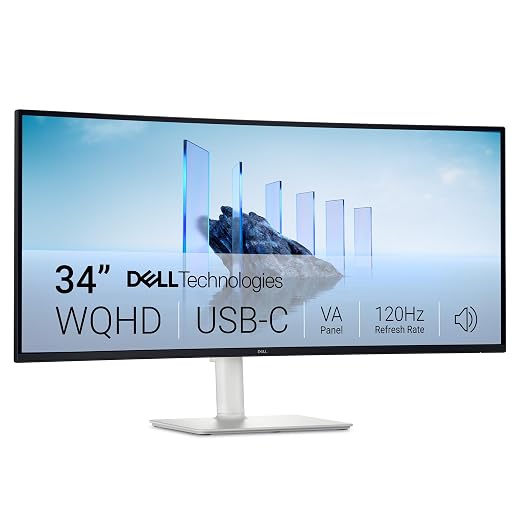
When determining whether is lg ultragear qhd worth it, shoppers must weigh its focused gaming immersion against more flexible or expansive configurations. Those desiring a wider cinema ratio often explore ultrawide formats such as the LG UltraGear OLED 34GS95QE, which trades traditional 16:9 constraints for a panoramic experience. Within standard 16:9 confines, this 32-inch UltraGear delivers an immersive experience if you accept the physical and ergonomic limitations of its platform.
The verdict
LG UltraGear 32GS60QC
8.8/10
Our score
Very positive
Scores are out of 10, based on listed specifications and buyer feedback.
The LG UltraGear 32GS60QC is a purposeful curved gaming monitor that targets players seeking strong visual immersion and rich contrast. Its 180Hz refresh rate, 2560×1440 resolution, 3000:1 contrast ratio, and AMD FreeSync support combine to deliver an absorbing atmosphere across cinematic titles and simulators. When placed in a dim room and viewed straight-on, the deep black levels and wraparound screen create a truly captivating visual canvas.
At the same time, practical compromises warrant careful consideration. The aggressive 1000R curve limits general desktop usability, the tilt-only stand lacks height adjustability, and inherent VA pixel trailing surfaces during rapid competitive gameplay. If your gaming library emphasizes atmospheric single-player experiences and you plan around its ergonomic constraints, this display offers focused performance. If competitive speed or geometric precision is your primary goal, flat IPS or OLED options remain better choices.
Pros
- High 3000:1 static contrast ratio
- Fluid 180Hz refresh rate
- Immersive 1000R wraparound curvature
- AMD FreeSync tear-free performance
- Clean three-side borderless aesthetic
Cons
- Tilt-only stand lacking height adjustment
- VA panel dark smearing in fast motion
- No built-in speakers in listing
- Modest 300 brightness limit for HDR
Buy it if
- You play single-player adventures, racing sims, or flight sims that capitalize on deep 1000R visual immersion.
- You prioritize 3000:1 static contrast and deep black reproduction for gaming in dark room environments.
- You operate a graphics card capable of driving 1440p resolution at high frame rates up to 180Hz via AMD FreeSync.
- You already own a dedicated VESA desk arm or have a desk setup that does not require built-in stand height adjustment.
Skip it if
- You compete in fast-paced first-person shooters where VA dark-level smearing and motion ghosting compromise tracking.
- Your daily workload involves CAD drafting, graphic arts, or large spreadsheets where straight lines must stay unwarped.
- You require a fully adjustable factory stand with height, swivel, and pivot adjustments out of the box.
See it on AmazonAffiliate link. Price and stock change at Amazon, not here.
Questions buyers ask
Does the LG UltraGear 32GS60QC suffer from VA panel ghosting?
Yes, like most VA displays, it exhibits dark-level trailing and black smearing when dark graphics move across light backgrounds. While the 180Hz refresh rate and 1ms GtG rating ensure fluid overall movement, players who focus on fast-paced competitive esports titles will notice motion blur during rapid camera turns.
Can the stand on the LG UltraGear 32GS60QC adjust in height?
No, the included monitor stand only supports tilt adjustment. The listing does not specify height, swivel, or pivot adjustments. If you need to position the screen at eye level, you will need a separate monitor riser or an aftermarket VESA mounting arm.
Is a 1000R curve too aggressive for office work and productivity?
For spreadsheets, graphic design, and precision layout tasks, the 1000R curve can feel jarring because it physically bends straight lines across the display. While this curvature enhances immersion in simulators and games, users focused heavily on daily productivity generally find flat panels more comfortable.
Does the LG UltraGear 32GS60QC include built-in speakers?
The product listing does not specify built-in speakers. To hear game audio, dialogue, and media, you will need to connect an external sound system, powered desktop computer speakers, or a dedicated gaming headset to your computer setup.
How does the 1440p resolution look on a 32-inch screen?
On a 32-inch screen, a 2560×1440 resolution results in approximately 93 pixels per inch. Text and fine UI details appear slightly less sharp than on a 27-inch 1440p monitor, but it offers a noticeable visual upgrade over 1080p without demanding the heavy processing power required by native 4K.
Deciding whether the 1000R curve fits your desk ultimately depends on balancing immersive simulation gaming against the need for strict geometric accuracy in daily tasks. If you find this 16:9 format too restrictive for split-screen multitasking, consulting the Ultrawide Monitor Hub offers detailed comparisons of broader screens with gentler curvatures. Evaluating those alternatives helps pinpoint a display that delivers expansive visual benefits without compromising your regular workflow.
How this review was put together
- Specs are quoted from the Amazon listing, not measured in a lab.
- The score is out of 10, based on listed specifications and buyer feedback.
- Prices were read from the listing when this page was last built and move without notice.
2,605 reviews · 1,445 rated products · 87 brands tracked
We earn a commission when you buy through our Amazon links. That never changes a score.